Friday, 8 December 2023

Learning Python, 5th Edition (Free PDF)


Get a comprehensive, in-depth introduction to the core Python language with this hands-on book. Based on author Mark Lutz’s popular training course, this updated fifth edition will help you quickly write efficient, high-quality code with Python. It’s an ideal way to begin, whether you’re new to programming or a professional developer versed in other languages.

Complete with quizzes, exercises, and helpful illustrations, this easy-to-follow, self-paced tutorial gets you started with both Python 2.7 and 3.3— the latest releases in the 3.X and 2.X lines—plus all other releases in common use today. You’ll also learn some advanced language features that recently have become more common in Python code.

  • Explore Python’s major built-in object types such as numbers, lists, and dictionaries
  • Create and process objects with Python statements, and learn Python’s general syntax model
  • Use functions to avoid code redundancy and package code for reuse
  • Organize statements, functions, and other tools into larger components with modules
  • Dive into classes: Python’s object-oriented programming tool for structuring code
  • Write large programs with Python’s exception-handling model and development tools
  • Learn advanced Python tools, including decorators, descriptors, metaclasses, and Unicode processing


Python Coding challenge - Day 88 | What is the output of the following Python Code?


In the given code, you have two tuples, a and b. a is a tuple containing three elements, and b is a tuple containing only one element. When you try to concatenate these tuples using the + operator, you might encounter an error.


Let's analyze the code:

a = (10, 20, 30)

b = (40)

print(a + b)

Here, the variable b is not a tuple; it's just an integer because a single-element tuple should have a comma after the element. To create a single-element tuple, you should write it as follows:

b = (40,)

Now, if you want to concatenate the two tuples, you can use the + operator:


a = (10, 20, 30)

b = (40,)

print(a + b)

The output will be:

(10, 20, 30, 40)

This code creates a new tuple by concatenating the elements of a and b.

Wednesday, 6 December 2023

Python Coding challenge - Day 87 | What is the output of the following Python Code?


Solution and Explanation: 

In Python, the is keyword is used to check if two variables refer to the same object in memory, while the == operator is used to check if the values of the two variables are equal.


In your example:

a = "Hello"

b = "Hello"

print(f"a is b: {a is b}")

print(f"a == b: {a == b}")

The output will be:

a is b: True

a == b: True

This is because string literals (like "Hello") are interned in Python, meaning that the interpreter will reuse the same object in memory for equal string literals. So, both a and b refer to the same string object in memory, and hence a is b is True. The == comparison also evaluates to True because the values of a and b are the same.

what is the output of following Python code? ๐Ÿงต:

 a = (1, 2, 3)  # tuple

b = (1, 2, 3)

print(f"a is b: {a is b}")  # True


a = {1, 2, 3}  # set

b = {1, 2, 3}

print(f"a is b: {a is b}")  # False


a = 1 + 2j  # complex number

b = 1 + 2j

print(f"a is b: {a is b}")  # True


Let's break down each part of the code:

a = (1, 2, 3)  # tuple

b = (1, 2, 3)

print(f"a is b: {a is b}")  # True

Here, you are creating two tuples a and b with the same values (1, 2, 3). Tuples are immutable in Python, and for small immutable objects like tuples, Python often optimizes and reuses the same object in memory. Therefore, a is b is True because both variables reference the same tuple object.

a = {1, 2, 3}  # set

b = {1, 2, 3}

print(f"a is b: {a is b}")  # False

In this part, you are creating two sets a and b with the same values {1, 2, 3}. Unlike tuples, sets are mutable in Python. The optimization for reusing the same object in memory doesn't typically happen with mutable objects. Therefore, a is b is False because each set is a distinct object in memory.

a = 1 + 2j  # complex number

b = 1 + 2j

print(f"a is b: {a is b}")  # True

In the last part, you are creating two complex numbers a and b with the same values 1 + 2j. Similar to tuples, complex numbers are immutable, so Python optimizes and reuses the same object in memory. Therefore, a is b is True because both variables reference the same complex number object.

In summary, the behavior of is and == depends on the type of objects being compared and whether they are mutable or immutable. For immutable objects, like tuples and complex numbers in your examples, is may evaluate to True because Python may reuse the same object in memory for efficiency. However, for mutable objects, like sets, is is more likely to evaluate to False because each object is distinct in memory. It's generally safer to use == for equality comparisons unless you specifically want to check object identity.

a = 10 b = 10 print(f"a is b: {a is b}") print(f"a == b: {a == b}")


Code :

a = 10

b = 10

print(f"a is b: {a is b}")  

print(f"a == b: {a == b}")


Answer :

a is b: True
a == b: True

Solution and Explanation:

the code line by line:

a = 10

Here, you are assigning the value 10 to the variable a. This means that the variable a now refers to the integer object 10.

b = 10

Similarly, you are assigning the value 10 to the variable b. Like before, the variable b now refers to the same integer object 10. In Python, for small integers, the interpreter often optimizes and reuses the same object in memory.

print(f"a is b: {a is b}")

This line prints the result of the identity comparison using the is operator. It checks if the variables a and b refer to the exact same object in memory. Since integers are often optimized for small values, a is b will usually be True because both variables reference the same 10 object in memory.

print(f"a == b: {a == b}")

This line prints the result of the equality comparison using the == operator. It checks if the values of a and b are equal. Since both a and b have the value 10, a == b will be True.

In summary, the code demonstrates the difference between the is operator, which checks identity (whether two variables reference the exact same object), and the == operator, which checks equality (whether the values of two variables are the same). In this specific case with small integers, both comparisons evaluate to True.

Calculate derivatives in Python


#!/usr/bin/env python

# coding: utf-8


# # Calculate derivatives in Python


# In[9]:

import sympy as sym

# In[11]:

x = sym.Symbol('x') # Symbolize X

func= x**4+4*x**2+5*x-6    # Function

sym.Derivative(func, x) # Derivative expression

# In[12]:

sym.Derivative(func, x, evaluate=True) # Calculate derivative of func

# In[13]:

func.diff(x)    # Or use this for the same

# In[14]:

# Create functions with lambdify

expr= sym.lambdify(x, func) 

expr_der=sym.lambdify(x, func.diff(x))

# In[15]:

print(f'value of func at x=5: {expr(5)}')

print(f'derivative of func at x=5: {expr_der(5)}')

Bar Graph plot using different Python Libraries


#!/usr/bin/env python

# coding: utf-8


# # 1. Using Matplotlib library 


# In[1]:


import matplotlib.pyplot as plt


# Sample data

categories = ['Category 1', 'Category 2', 'Category 3', 'Category 4']

values = [10, 25, 15, 30]


# Create a bar graph

plt.bar(categories, values)


# Adding labels and title

plt.xlabel('Categories')

plt.ylabel('Values')

plt.title('Bar Graph Example')


# Show the graph

plt.show()


#clcoding.com


# # 2. Using Seaborn library


# In[2]:


import seaborn as sns

import matplotlib.pyplot as plt


# Sample data

categories = ['Category 1', 'Category 2', 'Category 3', 'Category 4']

values = [10, 25, 15, 30]


# Create a bar plot using Seaborn

sns.barplot(x=categories, y=values)


# Adding labels and title

plt.xlabel('Categories')

plt.ylabel('Values')

plt.title('Bar Plot Example')


# Show the plot

plt.show()

#clcoding.com


# # 3. Using Plotly library


# In[3]:


import plotly.express as px


# Sample data

categories = ['Category 1', 'Category 2', 'Category 3', 'Category 4']

values = [10, 25, 15, 30]


# Create an interactive bar graph using Plotly

fig = px.bar(x=categories, y=values, labels={'x': 'Categories', 'y': 'Values'}, title='Bar Graph Example')


# Show the plot

fig.show()

#clcoding.com


# # 4. Using Bokeh library


# In[4]:


from bokeh.plotting import figure, show

from bokeh.io import output_notebook


# Sample data

categories = ['Category 1', 'Category 2', 'Category 3', 'Category 4']

values = [10, 25, 15, 30]


# Create a bar graph using Bokeh

p = figure(x_range=categories, title='Bar Graph Example', x_axis_label='Categories', y_axis_label='Values')

p.vbar(x=categories, top=values, width=0.5)


# Show the plot in a Jupyter Notebook (or use output_file for standalone HTML)

output_notebook()

show(p)

#clcoding.com


# In[ ]:


Tuesday, 5 December 2023

Python Coding challenge - Day 86 | What is the output of the following Python Code?


Code : 

s = set([1, 0, 2, 0, 3])
s.remove(0)
print(s)

Solution and Explanation: 

The remove() method in a set in Python removes the specified element. In your code:

s = set([1, 0, 2, 0, 3])

s.remove(0)

print(s)

It removes the element 0 from the set s. The output will be a set without the removed element:

{1, 2, 3}

g = [1, 0, 2, 0, 3] g.remove(0) print(g)

 What is the output of following Python Code?

g = [1, 0, 2, 0, 3]

g.remove(0)

print(g)

A) [1, 0, 2, 3]

B) [1, 2, 3]

C) [1, 2, 0, 3]

D) [0, 2, 0, 3]


Solution and Explanation: 

The remove() method in Python removes the first occurrence of a specified value from a list. In the code you provided:

g = [1, 0, 2, 0, 3]

g.remove(0)

print(g)

The element 0 is removed from the list g, and the updated list is then printed. Therefore, the output will be:

[1, 2, 0, 3]

Monday, 4 December 2023

Python Coding challenge - Day 85 | What is the output of the following Python Code?


Let's break down the code:

my_list = [60, 70, 80, 90, 100]

result = my_list[4::-1]

print(result)

In this code, my_list is a list containing the elements [60, 70, 80, 90, 100]. The expression my_list[4::-1] is a slicing operation with the following parameters:


4 is the starting index, and it starts from the last element (index 4).

:: indicates the slicing with a step of -1, which means it goes backward.

So, my_list[4::-1] will start from index 4 and go backward with a step of 1, including the element at index 4 itself. Therefore, it will select elements in reverse order.


The result will be a new list containing the elements [100, 90, 80, 70, 60]. When you print the result, you'll get:

[100, 90, 80, 70, 60]

result = min(0.0, -0.0) print(result)


Code :

result = min(0.0, -0.0)  

print(result)


Solution and Explanation :

Let's break down the provided code:

result = min(0.0, -0.0)
print(result)

min(0.0, -0.0): The min() function is used to determine the minimum value among the given arguments. In this case, the arguments are 0.0 and -0.0. Although mathematically, 0.0 and -0.0 are considered equal, in Python, they are treated as identical values. Therefore, the min() function will simply return the first occurrence, which is 0.0.

result = min(0.0, -0.0): The result of the min() function is assigned to the variable result.

print(result): This line prints the value stored in the variable result to the console. In this case, it will print 0.0.

So, when you run this code, the output will be:

0.0

Despite the fact that -0.0 is conceptually different in terms of sign, Python treats it as equal to 0.0 for most practical purposes, including comparisons and the min() function.

Python Coding challenge - Day 84 | What is the output of the following Python Code?


Code :

my_list = [1, 2, 3, 4, 5] 

result = my_list[1:4:2] 

print(result)

Solution and Explanation : 

Let's break down the code:

my_list = [1, 2, 3, 4, 5]
Here, you have defined a list named my_list containing the elements 1, 2, 3, 4, and 5.

result = my_list[1:4:2]
This line uses slicing to create a new list named result from my_list. The slicing syntax is start:stop:step. In this case:

start is 1
stop is 4 (exclusive, so it includes elements at indices 1 and 2)
step is 2
So, it starts at index 1, includes elements at indices 1 and 3 (skipping every other element because of the step), and stops before index 4.

Therefore, the result will be [2, 4].

print(result)
This line prints the value of result, which is [2, 4].

Coding in Python: A Comprehensive Beginners Guide to Learn the Realms of Coding in Python (Free PDF)


Python Coding is not a book you can read while relaxing on the couch. This book is for those that are ready to start working right away to write your own codes. I do not recommend this book if you are the type of person who reads a book once and never opens it again because you think you have mastered the book's technical contents. Tech books are different from novels and other non-fiction books. They demand more than merely one reading. Buy this book if you have made up your mind to read it and practice it again and again.


This book will compel you to step into the practical world. What makes this book different from the other books is its specific features and contents. Let's take a look at both.


Features of the book:

  • Practicality
  • Easy-to-digest
  • Clarity of concepts
  • Simplicity of communication
  • Clear examples

You'll discover...

  • Python installation process
  • Python data types
  • Python lists
  • Python tuples
  • Python if, if-else, if-elif statements
  • Python dictionaries and dictionary constructors
  • Python functions
  • Python for and while loops
  • Python input function
  • Python classes, child classes, import functions
  • And more!

If you're interested in the practical application of learning to code with Python, then this book is for you.


PDF Download :

Sunday, 3 December 2023

Machine Learning Applications Using Python: Cases Studies from Healthcare, Retail, and Finance (Free PDF)


Gain practical skills in machine learning for finance, healthcare, and retail. This book uses a hands-on approach by providing case studies from each of these domains: you’ll see examples that demonstrate how to use machine learning as a tool for business enhancement. As a domain expert, you will not only discover how machine learning is used in finance, healthcare, and retail, but also work through practical case studies where machine learning has been implemented. 

Machine Learning Applications Using Python is divided into three sections, one for each of the domains (healthcare, finance, and retail). Each section starts with an overview of machine learning and key technological advancements in that domain. You’ll then learn more by using case studies on how organizations are changing the game in their chosen markets. This book has practical case studies with Python code and domain-specific innovative ideas for monetizing machine learning. 


What You Will Learn

Discover applied machine learning processes and principles

Implement machine learning in areas of healthcare, finance, and retail

Avoid the pitfalls of implementing applied machine learning

Build Python machine learning examples in the three subject areas


Who This Book Is For

Data scientists and machine learning professionals.  

Buy : Machine Learning Applications Using Python: Cases Studies from Healthcare, Retail, and Finance


Free PDF :


MichiganX: Python Data Structures (Free Course)


About this course

This course will introduce the core data structures of the Python programming language. We will move past the basics of procedural programming and explore how we can use the Python built-in data structures such as lists, dictionaries, and tuples to perform increasingly complex data analysis. This course will cover Chapters 6-10 of the textbook "Python for Everybody". This course covers Python 3.

What you'll learn

How to open a file and read data from a file

How to create a list in Python

How to create a dictionary

Sorting data

How to use the tuple structure in Python


Join Free : MichiganX: Python Data Structures


Data Structures and Algorithms in Python


Data structures and algorithms are among the most fundamental concepts of Computer Science. Whether it’s real-world problems you’re trying to solve or the typical coding question asked in an interview, almost every problem requires you to demonstrate a deep understanding of data structures and algorithms.


This course is a detailed review of some of the most common data structures and algorithms that you’ll see in interviews and your everyday work. With implementation details, thorough explanations, and hands-on coding exercises, you’ll quickly gain the confidence you need to solve any problem, no matter the situation.


Syllabus: 

  1. Introduction
  2. Insertion
  3. Deletion by Value
  4. Deletion by Position
  5. Length
  6. Node Swap
  7. Reverse
  8. Merge Two Sorted Linked Lists
  9. Remove Duplicates
  10. Nth-to-Last Node
  11. Count Occurrences
  12. Rotate
  13. Is Palindrome
  14. Exercise: Move Tail to Head
  15. Solution Review: Move Tail to Head
  16. Exercise: Sum Two Linked Lists
  17. Solution Review: Sum Two Linked Lists
  18. Quiz

Join Free : Data Structures and Algorithms in Python

What is the output of following Python code?

 What is the output of following Python code?


my_string = "Python"

result = my_string + my_string[2::2]

print(result)


Solution and Explanation: 

Let's break down the code:

my_string = "Python"
result = my_string + my_string[2::2]
print(result)

my_string is assigned the value "Python".
my_string[2::2] extracts a substring starting from index 2 (inclusive) with a step of 2. So, it takes every second character starting from the third character. In this case, it extracts the characters "to", resulting in the substring "to".
my_string + my_string[2::2] concatenates the original string "Python" with the extracted substring "to".
The final result is then printed.
The output of the code will be:

Pythonto

So, the value of result is "Pythonto".

print(False+False) ?

 Code : 

print(False+False) 

Solution and Explanation : 

In Python, False is internally represented as the integer value 0. Therefore, when you use the + operator to add two False values, it's equivalent to adding 0 + 0, which results in 0.

Here's the code and its output:

print(False + False)

Output:

0

So, False + False evaluates to 0 in Python.


Saturday, 2 December 2023

print(True+True)

 Code :

print(True+True)


Solution and Explanation : 

In Python, True is internally represented as the integer value 1. Therefore, when you use the + operator to add two True values, it's equivalent to adding 1 + 1, which results in 2.


Here's the code and its output:

print(True + True)

Output:

2

Python Coding challenge - Day 83 | What is the output of the following Python Code?


Code : 

list1 = [1, 2, 4, 3]
list2 = [1, 2, 3, 4]
print(list1 != list2)


Solution and Explanation: 

The != operator in Python checks for inequality. In the given code, list1 and list2 are two lists with the same elements but in different orders. When you compare them using !=, the result is True because the order of elements matters in list comparison.


Here's a breakdown of the code:


list1 = [1, 2, 4, 3]

list2 = [1, 2, 3, 4]

print(list1 != list2)

list1 contains elements [1, 2, 4, 3].

list2 contains elements [1, 2, 3, 4].

When comparing list1 and list2 using !=, it checks if the two lists are not equal.

The order of elements is different, so the result of the comparison is True.

The print statement outputs True.

If the order of elements in both lists were the same, the result would be False.

Python Data Structures and Algorithms (Free PDF)


A knowledge of data structures and the algorithms that bring them to life is the key to

building successful data applications. With this knowledge, we have a powerful way to

unlock the secrets buried in large amounts of data. This skill is becoming more important in

a data-saturated world, where the amount of data being produced dwarfs our ability to

analyze it. In this book, you will learn the essential Python data structures and the most

common algorithms. This book will provide basic knowledge of Python and an insight into

the exciting world of data algorithms. We will look at algorithms that provide solutions to

the most common problems in data analysis, including sorting and searching data, as well

as being able to extract important statistics from data. With this easy-to-read book, you will

learn how to create complex data structures such as linked lists, stacks, and queues, as well

as sorting algorithms such as bubble sort and insertion sort. You will learn the common

techniques and structures used in tasks such as preprocessing, modeling, and transforming

data. We will also discuss how to organize your code in a manageable, consistent, and

extendable way. You will learn how to build components that are easy to understand,

debug, and use in different applications.

A good understanding of data structures and algorithms cannot be overemphasized. It is an

important arsenal to have in being able to understand new problems and find elegant

solutions to them. By gaining a deeper understanding of algorithms and data structures,

you may find uses for them in many more ways than originally intended. You will develop

a consideration for the code you write and how it affects the amount of memory and

CPU cycles to say the least. Code will not be written for the sake of it, but rather with a

mindset to do more using minimal resources. When programs that have been thoroughly

analyzed and scrutinized are used in a real-life setting, the performance is a delight to

experience. Sloppy code is always a recipe for poor performance. Whether you like

algorithms purely from the standpoint of them being an intellectual exercise or them

serving as a source of inspiration in solving a problem, it is an engagement worthy of

pursuit.

The Python language has further opened the door for many professionals and students to

come to appreciate programming. The language is fun to work with and concise in its

description of problems. We leverage the language's mass appeal to examine a number of

widely studied and standardized data structures and algorithms.

The book begins with a concise tour of the Python programming language. As such, it is not

required that you know Python before picking up this book.

Download PDF : Python Data Structures and Algorithms

Buy : Hands-On Data Structures and Algorithms with Python: Store, manipulate, and access data effectively and boost the performance of your applications, 3rd Edition


Python Coding challenge - Day 82 | What is the output of the following Python Code?


Code : 

tuple1 = (1, 2, 4, 3) 

tuple2 = (1, 2, 3, 4) 

print(tuple1 < tuple2) 


Solution and Explanation : 

The above code is comparing two tuples, tuple1 and tuple2, using the less than (<) operator. This comparison is done element-wise.

In this case, the first elements of both tuples are the same (1), so it moves on to the second elements. The second elements are also the same (2). It continues this process until it finds a pair of elements where one is less than the corresponding element in the other tuple.

In your example:

tuple1: (1, 2, 4, 3)
tuple2: (1, 2, 3, 4)

At the third position, tuple1 has 4, and tuple2 has 3. Since 3 is less than 4, the result of the comparison is False.

So, when you run this code, it will print:

False

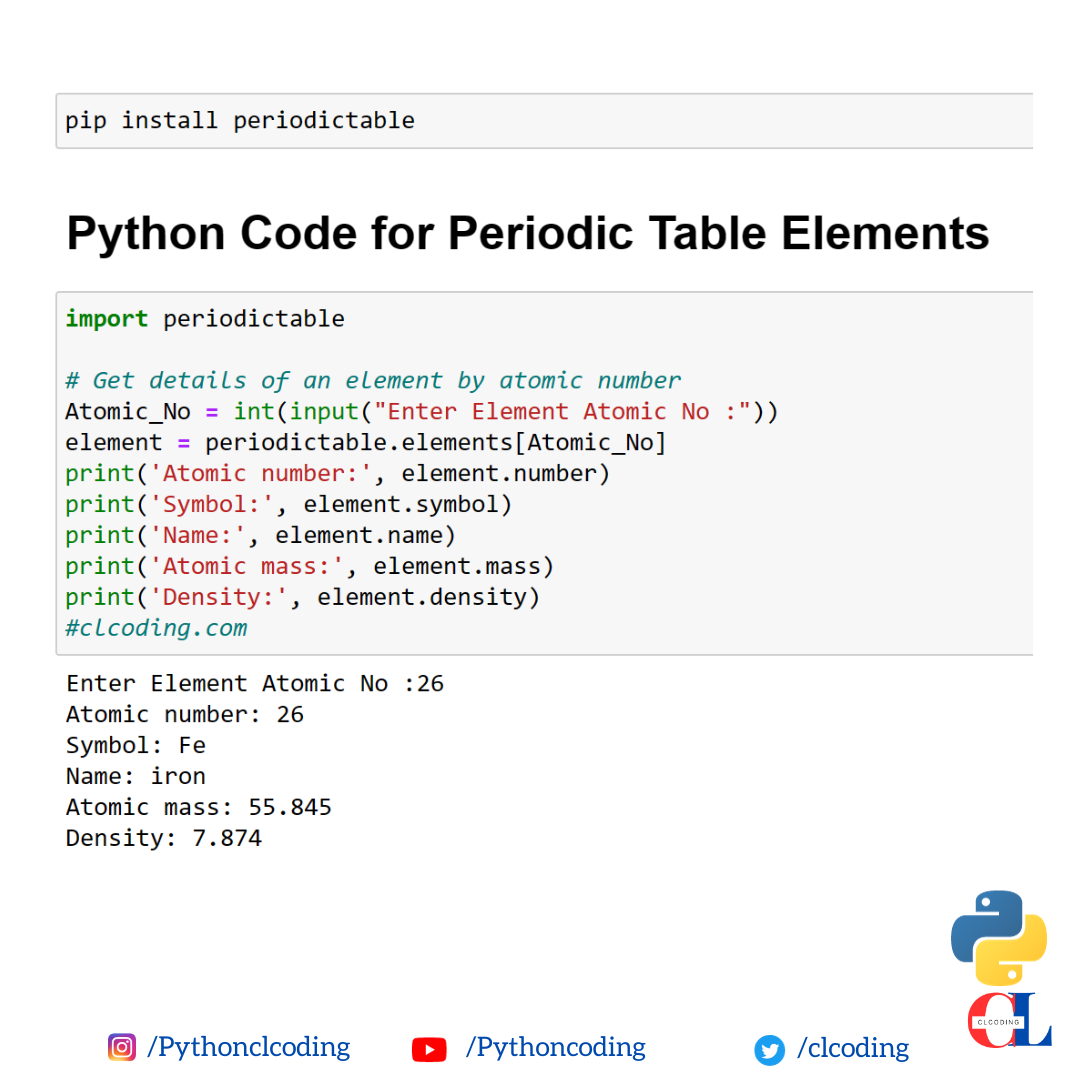
Python Code for Periodic Table Elements


Code :

import periodictable

# Get details of an element by atomic number
Atomic_No = int(input("Enter Element Atomic No :"))
element = periodictable.elements[Atomic_No] 
print('Atomic number:', element.number)
print('Symbol:', element.symbol)
print('Name:', element.name)
print('Atomic mass:', element.mass)
print('Density:', element.density)
#clcoding.com


Output : 

Enter Element Atomic No :26
Atomic number: 26
Symbol: Fe
Name: iron
Atomic mass: 55.845
Density: 7.874

Friday, 1 December 2023

Create Your First Web App with Python and Flask


What you'll learn

Create Web Applications with Flask

Use WTForms and SQLAlchemy in Flask Applications

Use Templates in Flask Applications

About this Guided Project

In this 2-hour long project-based course, you will learn the basics of web application development with Python using the Flask framework. Through hands on, practical experience, you will go through concepts like creating a Flask Application, using Templates in Flask Applications, using SQLAlchemy and SQLite with Flask, and using Flask and WTForms. You will then apply the concepts to create your first web application with Python and Flask.

This course is aimed at learners who are looking to get started with web application development using Python, and have some prior programming experience in the Python programming language. The ideal learner has understanding of Python syntax, HTML syntax, and computer programming concepts.

Note: This course works best for learners who are based in the North America region. We’re currently working on providing the same experience in other regions.


Join Free : Create Your First Web App with Python and Flask


Real-time Currency Converter with Python


pip install forex_python

Code : 

from forex_python.converter import CurrencyRates
c = CurrencyRates()
amount = int(input("Enter the amount: "))
from_currency = input("From Currency: ").upper()
to_currency = input("To Currency: ").upper()

print(from_currency, " To ", to_currency, amount)
result = c.convert(from_currency, to_currency, amount)
print(result)

#clcoding.com

Output : 

Enter the amount: 10
From Currency: EUR
To Currency: INR
EUR  To  INR 10
888.9

What is the result of the following python code?

 What is the result of the following python code?


x = {1: "a", 2: "b"}

y = x.keys()

print(y)

Solution and Explanation:

The code you provided creates a dictionary x with keys 1 and 2, and then assigns the keys of the dictionary to the variable y. Finally, it prints the values of y. However, in Python 3, y will be a view object (dict_keys) representing the keys of the dictionary. To see the keys as a list, you can convert it to a list:

x = {1: "a", 2: "b"}

y = list(x.keys())

print(y)

Output: [1, 2]


 Let's break down the code step by step:

Dictionary Creation:

x = {1: "a", 2: "b"}

Here, a dictionary x is created with keys 1 and 2, each associated with a corresponding value ("a" and "b").

Getting Keys:

y = x.keys()

In this line, the keys() method is used on the dictionary x to obtain a view object that represents the keys of the dictionary. The dict_keys view is a dynamic view of the dictionary's keys.

Printing:

print(y)

This line prints the result of y, which is the dict_keys view. However, in Python 3, this view is not automatically converted to a list when printed.

If you want to see the keys as a list, you can convert the dict_keys view to a list, like this:

y = list(x.keys())

print(y)

Output:

[1, 2]

The final output, after converting the dict_keys view to a list, is a list containing the keys of the dictionary x. In this case, it's [1, 2].


a = [] b = [a.append(i) for i in range(5)] print(a) print(b)

Code : 

a = []

b = [a.append(i) for i in range(5)]

print(a)

print(b)


Solution and Explanation: 

This code outputs the following:

[0, 1, 2, 3, 4]
[None, None, None, None, None]
List a is modified by the loop, and the loop overwrites the list b with None.

here is the explanation of the code:

The list comprehension [a.append(i) for i in range(5)] creates a list of None values. This is because the expression a.append(i) returns None, and the list comprehension only stores the return values of the expressions it contains.

The loop overwrites the list b with None because the list comprehension is evaluated before the loop. This means that the list b is already a list of None values by the time the loop starts.

The list a is modified by the loop because the expression a.append(i) appends the value i to the list a. This is because the expression a.append(i) is evaluated inside the loop, and the list a is modified in place.

Therefore, the output of the code is:

a: [0, 1, 2, 3, 4]
b: [None, None, None, None, None]

Python Coding challenge - Day 81 | What is the output of the following Python Code?


Code :

i=j=[3]
i+=j
print(i,j)

Solution and Explanation:


In this Python code:

i = j = [3]

i += j

print(i, j)

Both i and j are assigned the same list [3]. The += operator is used to extend the list i by appending the elements of list j to it.


After the execution of the code, the output will be:

[3, 3] [3, 3]

Here's the breakdown:


i = j = [3]: Both i and j are assigned the list [3].

i += j: The += operator modifies the list i by appending the elements of list j to it. So, i becomes [3, 3].

print(i, j): Prints the values of i and j.

As a result, both i and j are [3, 3].


What is the output of the following python code?

 What is the output of the following python code?

x = 5

y = x > 3

print(y)


a) 5

b) 3

c) True

d) False


Solution and Explanation: 

The output of the given Python code will be:

True

Explanation:

x = 5: Assigns the value 5 to the variable x.
y = x > 3: Compares whether the value of x is greater than 3 and assigns the result (True or False) to the variable y.
print(y): Prints the value of y.
In this case, x is indeed greater than 3 (as x is 5), so the comparison x > 3 evaluates to True. Therefore, the output of the code is True. So, the correct option is:

c) True

a = "240" print(a.zfill(4))

 Code :

a = "240"

print(a.zfill(4))


Solution and Explanation : 

The zfill() method in Python is used to pad a string with zeros (0) on the left side until the string reaches the specified width. In your case, you've specified a width of 4.


Here's how it works:

a = "240"

result = a.zfill(4)

print(result)

Output:

0240

In this example, the original string "240" has a length of 3. The zfill(4) method pads zeros on the left side to make the length of the string 4. Therefore, the result is "0240".

my_list=[11,22,33,44,55] del my_list[:] print(my_list)

 Code :

my_list=[11,22,33,44,55]

del my_list[:]

print(my_list)


Solution and Explanation:

The above code  deletes all elements from the list my_list using the del statement with the slice [:]. This is a common way to clear a list in Python.

Here's a breakdown of the code:

del my_list[:]: This deletes all elements in the list. The [:] is a slice that includes all elements of the list.

After executing this code, the list my_list will be empty. If you print my_list after the deletion, you will get:

[]

So, the output of the provided code will be an empty list ([]).

a = (10, '20', 30) print(min(a))

Code : 

a = (10, '20', 30)

print(min(a))

Solution and Explanation: 

The min() function compares the elements in the tuple lexicographically (in the case of strings) or numerically (in the case of numbers) and returns the smallest element. If the elements are of different types, it may raise a TypeError.


In your case, the tuple a contains elements of different types: an integer (10), a string ('20'), and another integer (30). The min() function will compare them based on their natural order. In this case, it will compare the integer 10, the string '20', and the integer 30.

The comparison is done lexicographically for strings, so '20' is considered smaller than both 10 and 30. Therefore, the output of the min(a) expression will be '20'.

If you run the provided code, the output will be:

20

Thursday, 30 November 2023

Python Basics: Automation and Bots


What you'll learn

Learn how to play faster and looser and more casual with code, skimming and copying code from the Internet.

Discuss code flow and the order that your computer reads the code you write. This introduces us to a whole other level of thinking in code.

Logic can be harnessed to do useful stuff. We'll make it concrete by performing tasks like building an anagram finder.

Apply Python by robocall and spam text yourself through the Twilio API.

There are 4 modules in this course

Understanding the flow of running code is a major part of learning to think in code and of coding itself. In this course we will study the flow of code through several demonstrations and walkthroughs. We'll experience turning logic into useful work by running Python that automatically reads all of Shakespeare, and by setting Python up to give you a call on the phone. In technical terms, this course will demonstrate Python loops, list comprehensions, and conditional statements, while at a higher level we'll discuss code style and good practices for code.


Join Free : Python Basics: Automation and Bots


Creative Thinking: Techniques and Tools for Success (Free Course)


What you'll learn

Understand what creative thinking techniques are

Comprehend their importance in tackling global challenges as well as in everyday problem-solving scenarios

Select and apply the appropriate technique based on the opportunity to seize or the problem to tackle


There are 7 modules in this course

In today’s ever-growing and changing world, being able to think creatively and innovatively are essential skills. It can sometimes be challenging to step back and reflect in an environment which is fast paced or when you are required to assimilate large amounts of information. Making sense of or communicating new ideas in an innovative and engaging way, approaching problems from fresh angles, and producing novel solutions are all traits which are highly sought after by employers.


This course will equip you with a ‘tool-box’, introducing you to a selection of behaviours and techniques that will augment your innate creativity. Some of the tools are suited to use on your own and others work well for a group, enabling you to leverage the power of several minds.  You can pick and choose which of these tools or techniques suit your needs and interests, focusing on some or all of the selected approaches and in the order that fits best for you.


The practical approach of this course enables you to acquire an essential skill-set for generating ideas, with plenty of:

- Fun e-tivities and exercises;

- Practical lectures and tips;

- Video representations of the techniques in action.


By the end of this course you should be able to:

- Pick a type of brainstorming you think will be useful to apply to a challenge

- Use alphabet brainstorming in tackling a challenge

- Use grid brainstorming in tackling a challenge

- Use a morphological chart to synthesise a solution to a challenge

- Use the TRIZ contradiction matrix to identify recommended inventive principles

- Apply SCAMPER to a range of challenges


The greatest innovators aren’t necessarily the people who have the most original idea. Often, they are people- or teams- that have harnessed their creativity to develop a new perspective or more effective way of communicating an idea. You can train your imagination to seize opportunities, break away from routine and habit, and tap into your natural creativity.


Join this course and a community of practitioners in CREATIVITY!

Join Free - Creative Thinking: Techniques and Tools for Success


What is wrong with “is” in Python ?


In Python, the is keyword is used to test object identity, which checks if two variables reference the same object in memory. However, it's important to note that the behavior you're observing is specific to the implementation of Python and may vary based on different factors, such as the Python interpreter and optimizations.

In CPython (the reference implementation of Python), small integers are cached for performance reasons. This means that integers in a certain range are the same object in memory to optimize memory usage and speed up operations. In your first example:

a = 256
b = 256
print(a is b)  # True
This is True because a and b both reference the same object in memory due to the integer caching optimization.

In second example:

a = 257
b = 257
print(a is b)  # False
This is False because the integers 257 and 257 are not cached, so they are distinct objects in memory.

While using is for comparing integers might work in some cases, it's generally recommended to use the == operator for equality testing. The == operator compares the values of the objects, which is more reliable and is the standard way to check if two variables hold the same value:

print(a == b)  # True for both examples
So, in summary, while a is b may work for small integers due to caching, it's not guaranteed and is not considered a good practice for equality testing. Always use == when comparing values.

Wednesday, 29 November 2023

c = True or False print(not not c)

 c = True or False

print(not not c)

In the first line, True or False evaluates to True because it uses the logical OR operator (or). This means that the variable c is assigned the value True.


In the second line, not not c is equivalent to not (not c). The not operator negates the value, so not c is not True, which is False. Then, the outer not negates this result again, making it not False, which evaluates to True.

So, the final output of the code will be:

True

This is because c is assigned the value True, and the double not operation results in True.


State whether the following statements are True or False (Classes and Objects)


a. Class attributes and object attributes are same.

Answer

False

b. A class data member is useful when all objects of the same class must

share a common item of information.

Answer

True

c. If a class has a data member and three objects are created from this class,

then each object would have its own data member.

Answer

True

d. A class can have class data as well as class methods.

Answer

True

e. Usually data in a class is kept private and the data is accessed /

manipulated through object methods of the class.

Answer

True

f. Member functions of an object have to be called explicitly, whereas, the

_init_( ) method gets called automatically.

Answer

True

g. A constructor gets called whenever an object gets instantiated.

Answer

True

h. The _init_( ) method never returns a value.

Answer

True

i. When an object goes out of scope, its _del_( ) method gets called

automatically.

Answer

True

j. The self variable always contains the address of the object using which

the method/data is being accessed.

Answer

True

k. The self variable can be used even outside the class.

Answer

False

l. The _init_( ) method gets called only once during the lifetime of an

object.

Answer

True

m. By default, instance data and methods in a class are public.

Answer

True

n. In a class 2 constructors can coexist-a 0-argument constructor and a 2-

argument constructor.

Answer

True

100 Python questions, one for each day of the challenge:


1 Print the length of the string "Hello, world!".

2 Print the sum of the numbers 1 and 2.

3 Print the Fibonacci sequence up to the 10th term.

4 Check whether a number is prime or not.

5 Find the factorial of a number.

6 Print a multiplication table for a given number.

7 Check whether a string is a palindrome or not.

8 Convert a temperature from Celsius to Fahrenheit.

9 Convert a temperature from Fahrenheit to Celsius.

10 Check whether a year is a leap year or not.

11 Write a function to check whether a string is a pangram or not.

12 Write a function to find the longest common substring of two strings.

13 Write a function to reverse a string.

14 Write a function to check whether a number is a perfect square or not.

15 Write a function to find the greatest common divisor (GCD) of two numbers.

16 Write a function to find the least common multiple (LCM) of two numbers.

17 Write a function to check whether a number is an Armstrong number or not.

18 Write a function to find the kth permutation of a given set of numbers.

19 Write a function to find the next lexicographical permutation of a given string.

20 Write a function to check whether a graph is bipartite or not.

21 Write a function to find the shortest path between two nodes in a graph.

22 Write a function to find the minimum spanning tree of a graph.

23 Write a function to find the diameter of a tree.

24 Write a function to check whether a tree is a binary search tree or not.

25 Write a function to insert a node into a binary search tree.

26 Write a function to delete a node from a binary search tree.

27 Write a function to search for a node in a binary search tree.

28 Write a function to find the inorder successor of a node in a binary search tree.

29 Write a function to find the preorder successor of a node in a binary search tree.

30 Write a function to find the postorder successor of a node in a binary search tree.

31 Write a function to find the level order traversal of a binary tree.

32 Write a function to find the height of a binary tree.

33 Write a function to check whether a binary tree is balanced or not.

34 Write a function to convert an infix expression to a postfix expression.

35 Write a function to convert a postfix expression to an infix expression.

36 Write a function to evaluate a postfix expression.

37 Write a function to find the maximum depth of a nested list.

38 Write a function to flatten a nested list.

39 Write a function to check whether a linked list is a palindrome or not.

40 Write a function to reverse a linked list.

41 Write a function to insert a node into a linked list.

42 Write a function to delete a node from a linked list.

43 Write a function to search for a node in a linked list.

44 Write a function to find the middle node in a linked list.

45 Write a function to find the nth node from the end of a linked list.

46 Write a function to merge two sorted linked lists.

47 Write a function to find the intersection point of two linked lists.

48 Write a function to find the union of two linked lists.

49 Write a function to check whether a linked list is circular or not.

50 Write a function to find the length of a linked list.

51 Write a function to find the median of a list of numbers.

52 Write a function to find the mode of a list of numbers.

53 Write a function to find the range of a list of numbers.

54 Write a function to find the variance of a list of numbers.

55 Write a function to find the standard deviation of a list of numbers.

56 Write a function to find the covariance of two lists of numbers.

57 Write a function to find the correlation coefficient of two lists of numbers.

58 Write a function to fit a linear regression model to a dataset.

59 Write a function to fit a logistic regression model to a dataset.

60 Write a function to perform k-means clustering on a dataset.

61 Write a function to implement the Naive Bayes classification algorithm.

62 Write a function to implement the Support Vector Machine (SVM) classification algorithm.

63 Write a function to implement the Random Forest classification algorithm.

64 Write a function to implement the K-Nearest Neighbors (KNN) classification algorithm.

65 Write a function to implement the Decision Tree classification algorithm.

66 Write a function to implement the Naive Bayes classification algorithm for spam filtering.

67 Write a function to implement the Support Vector Machine (SVM) classification algorithm for sentiment analysis.

68 Write a function to implement the Random Forest classification algorithm for image recognition.

69 Write a function to implement the K-Nearest Neighbors (KNN) classification algorithm for handwriting recognition.

70 Write a function to implement the Decision Tree classification algorithm for medical diagnosis.

71 Define a class to represent a bank account.

72 Define a class to represent a student.

73 Define a class to represent a book.

74 Define a class to represent an employee.

75 Define a class to represent a car.

76 Implement inheritance in a class hierarchy for animals.

77 Implement polymorphism in a class hierarchy for shapes.

78 Implement encapsulation in a class to represent a bank account.

79 Implement abstraction in a class to represent a

80 Implement a stack data structure using Python.

81 Implement a queue data structure using Python.

82 Implement a linked list data structure using

83 Implement a double-linked list data structure using Python.

84 Implement a circular linked list data structure using Python.

85 Implement a binary search tree data structure using Python.

86 Implement an AVL tree data structure using Python.

87 Implement a red-black tree data structure using Python.

88 Implement a hash table data structure using Python.

89 Implement a heap data structure using Python.

90 Implement a graph data structure using Python.

91 Implement a directed graph data structure using Python.

92 Implement a weighted graph data structure using Python.

93 Implement a breadth-first search algorithm for traversing a graph.

94 Implement a depth-first search algorithm for traversing a graph.

95 Implement Dijkstra's algorithm for finding the shortest path in a weighted graph.

96 Implement Kruskal's algorithm for finding the minimum spanning tree of a weighted graph.

97 Implement Prim's algorithm for finding the minimum spanning tree of a weighted graph.

98 Implement a sorting algorithm, such as bubble sort, insertion sort, merge sort, or quick sort.

99 Implement a searching algorithm, such as binary search or linear search.

100 Write a Python program to solve a real-world problem, such as building a simple web scraper, a text summarizer, or a financial data analyzer.

print ((False == False) in [False]) print (False == (False in [False])) print (False == False in [False])

 Code :

print(False == False) in [False]

print (False == (False in [False]))

print (False == False in [False])


Answer:

False
False
True

Solution and Explanation:

Let's go through each line:

print((False == False) in [False])
False == False is True.
The expression becomes True in [False].
Since True is not in the list [False], the final result is False.
The output for this line is False.

print(False == (False in [False]))
False in [False] is True.
The expression becomes False == True.
The output for this line is False.

print(False == False in [False])
This expression is equivalent to (False == False) and (False in [False]).
Both conditions are True.
The output for this line is True.


Python Coding challenge - Day 80 | What is the output of the following Python code?


Code :

list1 = ["1.0", "a", "0.1", "1", "-1"]

list2 = sorted(list1, key=lambda x: float(x) if x.isdigit() else float('inf'))

print(list2)

Answer : ['1', '1.0', 'a', '0.1', '-1']

Solution and Explanation: 

list1 = ["1.0", "a", "0.1", "1", "-1"]

This line creates a list named list1 and assigns it the values ["1.0", "a", "0.1", "1", "-1"].

list2 = sorted(list1, key=lambda x: float(x) if x.isdigit() else float('inf'))

This line creates a list named list2 and assigns it the sorted values of list1. The key argument specifies that the sorting should be done by converting the elements to floats if they are digits, and otherwise using the value float('inf'). This means that the strings "-1", "a", and "0.1" will be sorted as if they were the numbers -1, inf, and 0.1, respectively.

print(list2)

This line prints the value of list2 to the console.

Here is a table that summarizes the steps involved in sorting the list:

Step Action

1 Create a list named list1 and assign it the values ["1.0", "a", "0.1", "1", "-1"].

2 Create a list named list2 and assign it the sorted values of list1.

3 Sort list2 using the key argument, which specifies that the sorting should be done by converting the elements to floats if they are digits, and otherwise using the value float('inf').

4 Print the value of list2 to the console.


Tuesday, 28 November 2023

How many objects are created in the following code snippet?

 How many objects are created in the following code snippet?

a = 10

b = a

c = b

Answer : one 

a is assigned the value 10, creating an integer object with the value 10.

b is assigned the value of a, so it refers to the same integer object as a. No new object is created in this step; it just points to the existing object.

c is assigned the value of b, so it also refers to the same integer object as a and b. Again, no new object is created in this step.

a = 20 b = 40 print(globals( )) print(locals( ))

 Code :

a = 20

b = 40

print(globals( ))

print(locals( ))


Solution and Explanation: 

The globals() function returns a dictionary representing the current global symbol table, while the locals() function returns a dictionary representing the current local symbol table. When you print these dictionaries in your code, you'll see the global and local variables along with their values.

Here's the modified code:

a = 20
b = 40

print("Global variables:")
print(globals())

print("\nLocal variables:")
print(locals())

When you run this code, you will see the global and local variables along with their values. Keep in mind that the output might vary depending on where you run this code (e.g., in a script or an interactive environment like a Jupyter notebook).

Note: The locals() function inside a function or method will return the local symbol table of that function or method. If you run it in the global scope, it will return the same result as globals().

The output will typically look like this:

Global variables:
{'__name__': '__main__', '__doc__': None, '__package__': None, '__loader__': <...>, '__spec__': None, '__annotations__': {}, '__builtins__': <...>, '__file__': 'your_file_path', '__cached__': None, 'a': 20, 'b': 40}

Local variables:
{'__name__': '__main__', '__doc__': None, '__package__': None, '__loader__': <...>, '__spec__': None, '__annotations__': {}, '__builtins__': <...>, '__file__': 'your_file_path', '__cached__': None, 'a': 20, 'b': 40}


The dictionaries returned by globals() and locals() contain information about the global and local namespaces, respectively. In this case, the global variables a and b are included in both dictionaries. The keys in the dictionaries include special variables like __name__, __doc__, etc., along with your defined variables.

The output might vary slightly depending on where you run this code and the specific environment you are using.

Download YouTube videos using Python


Code : 


# Download YouTube videos using Python

pip install yt-dlp


import yt_dlp

# Enter the url for the download 

url = input("Enter video url: ")

ydl_opts = {}

with yt_dlp. YoutubeDL (yd1_opts) as ydl: 

      ydl.download ([url])

print("Video downloaded successfully!")

#clcoding.com

Enter video url: https://youtu.be/b1kbLwvqugk


Python code to find info about Chemical Formula


pip install pubchempy


import pubchempy as pcp


# Define the chemical formula of the hydrocarbon

chemical_formula = input("Enter chemical Formula : ")  

try:

    # Search PubChem for the compound by its chemical formula

    compound = pcp.get_compounds(chemical_formula, 'formula')[0]


    # Display information about the compound

    print(f"Name: {compound.iupac_name}")

    print(f"Common Name: {compound.synonyms[0]}")

    print(f"Molecular Weight: {compound.molecular_weight}")

    print(f"Formula: {compound.molecular_formula}")


    # You can access more properties as needed

except IndexError:

    print(f"No information found for {chemical_formula}.Please check formula.")


    #clcoding.com

Monday, 27 November 2023

Python Coding challenge - Day 79 | What is the output of the following Python code?


Code : 

import sys, getopt

sys.argv =['C:\\a.py', '-h', 'word1', 'word2']

options, arguments = getopt.getopt(sys.argv[1:],'s:t:h')

print(options)


Solution and Explanation:

This code outputs the following:

[('-h', '')]
The getopt.getopt() function takes two arguments:

The first argument is the sequence of arguments to be parsed. This is typically sys.argv[1:], which is a list of all the command-line arguments except for the program name.

The second argument is the option string. This is a string of characters, where each character represents an option. If an option requires an argument, the character is followed by a colon. For example, the option string "s:t:h" defines three options:

-s: This option requires an argument, which is stored in the optarg variable.
-t: This option requires an argument, which is stored in the optarg variable.
-h: This option does not require an argument.
The getopt.getopt() function returns a list of two-element tuples. Each tuple consists of an option character and its argument, if any. For example, the tuple ('-h', '') indicates that the -h option was specified without an argument.

In this case, the command-line arguments are ['C:\\a.py', '-h', 'word1', 'word2']. The option string is 's:t:h'. Therefore, the getopt.getopt() function returns the list [('-h', '')], which indicates that the -h option was specified without an argument.


How will you store a hexadecimal value E0A485 in a bytes data type?

 In Python, you can store a hexadecimal value like E0A485 in a bytes data type using the bytes.fromhex() method. Here's an example:

hex_value = "E0A485"

bytes_data = bytes.fromhex(hex_value)

print(bytes_data)

This code will output a bytes object representing the hexadecimal value:

b'\xe0\xa4\x85'

Each pair of hexadecimal digits is converted to its corresponding byte value in the bytes object. In this example, E0 becomes \xe0, A4 becomes \xa4, and 85 becomes \x85.

Popular Posts

Categories

100 Python Programs for Beginner (118) AI (162) Android (25) AngularJS (1) Api (6) Assembly Language (2) aws (27) Azure (8) BI (10) Books (254) Bootcamp (1) C (78) C# (12) C++ (83) Course (84) Coursera (299) Cybersecurity (28) Data Analysis (24) Data Analytics (16) data management (15) Data Science (227) Data Strucures (14) Deep Learning (77) Django (16) Downloads (3) edx (21) Engineering (15) Euron (30) Events (7) Excel (17) Finance (9) flask (3) flutter (1) FPL (17) Generative AI (49) Git (6) Google (47) Hadoop (3) HTML Quiz (1) HTML&CSS (48) IBM (41) IoT (3) IS (25) Java (99) Leet Code (4) Machine Learning (199) Meta (24) MICHIGAN (5) microsoft (9) Nvidia (8) Pandas (12) PHP (20) Projects (32) Python (1223) Python Coding Challenge (905) Python Quiz (351) Python Tips (5) Questions (2) R (72) React (7) Scripting (3) security (4) Selenium Webdriver (4) Software (19) SQL (45) Udemy (17) UX Research (1) web application (11) Web development (7) web scraping (3)

Followers

Python Coding for Kids ( Free Demo for Everyone)