Tuesday, 4 March 2025

Mosaic Tile pattern plot using python


import numpy as np

import matplotlib.pyplot as plt

rows,cols=8,8

tile_size=1

fig,ax=plt.subplots(figsize=(8,8))

ax.set_xlim(0,cols*tile_size)

ax.set_ylim(0,rows*tile_size)

ax.set_aspect('equal')

ax.axis('off')

colors=['#6FA3EF','#F4C542','#E96A64','#9C5E7F']

for row in range(rows):

    for col in range(cols):

        x=col*tile_size

        y=row*tile_size

        color=np.random.choice(colors)

        square=plt.Rectangle((x,y),tile_size,tile_size,color=color,ec='white',lw=2)

        ax.add_patch(square)

plt.title('Mosaic tile pattern plot',fontsize=16,fontweight='bold',color='navy',pad=15)

plt.show()

#source code --> clcoding.com         

Code Explanation:

 Importing Necessary Libraries

import numpy as np

import matplotlib.pyplot as plt

numpy (np) → Used for selecting random colors (np.random.choice)

matplotlib.pyplot (plt) → Used for creating and displaying the plot


Setting Grid Size and Tile Size

rows, cols = 10, 10  

tile_size = 1  

Defines a 10×10 grid (rows = 10, cols = 10)

Each tile (square) has a side length of 1 unit


Creating the Figure & Axes

fig, ax = plt.subplots(figsize=(8, 8))

Creates a figure (fig) and an axis (ax)

figsize=(8, 8) → Creates an 8×8-inch plot


Setting Axis Limits

ax.set_xlim(0, cols * tile_size)

ax.set_ylim(0, rows * tile_size)

ax.set_xlim(0, cols * tile_size) → X-axis ranges from 0 to cols * tile_size = 10 * 1 = 10

ax.set_ylim(0, rows * tile_size) → Y-axis ranges from 0 to rows * tile_size = 10 * 1 = 10

This ensures the entire grid fits within the defined space


Maintaining Square Tiles and Hiding Axes

ax.set_aspect('equal')

ax.axis('off')

ax.set_aspect('equal') → Ensures the tiles are perfect squares

ax.axis('off') → Hides the axes (grid lines, ticks, labels) for a clean look


Defining Colors for the Tiles

colors = ['#6FA3EF', '#F4C542', '#E96A64', '#9C5E7F']

A list of 4 hex color codes

Colors used:

#6FA3EF (Light Blue)

#F4C542 (Yellow)

#E96A64 (Red-Orange)

#9C5E7F (Dark Purple)

The colors are chosen randomly for each tile


Creating the Mosaic Tiles Using Nested Loops

for row in range(rows):

    for col in range(cols):

Outer loop (row) → Iterates through each row

Inner loop (col) → Iterates through each column

This ensures we fill all (10 × 10) = 100 tiles in the mosaic grid


Setting Tile Position and Assigning Random Color

x = col * tile_size  

y = row * tile_size  

color = np.random.choice(colors)  

x = col * tile_size → Calculates X-coordinate of the tile

y = row * tile_size → Calculates Y-coordinate of the tile

np.random.choice(colors) → Randomly selects a color for the tile


Drawing the Tiles

square = plt.Rectangle((x, y), tile_size, tile_size, color=color, ec='white', lw=2)

ax.add_patch(square)

plt.Rectangle((x, y), tile_size, tile_size, color=color, ec='white', lw=2)


Creates a square tile at (x, y)

Size = tile_size × tile_size (1×1)

color=color → Assigns the random color

ec='white' → Adds a white border around each tile

lw=2 → Sets the border width to 2

ax.add_patch(square) → Adds the tile to the plot


Adding a Title

plt.title("Mosaic Tile Pattern", fontsize=16, fontweight='bold', color='navy', pad=15)

Adds a title "Mosaic Tile Pattern" to the plot

Title settings:

fontsize=16 → Large text

fontweight='bold' → Bold text

color='navy' → Dark blue text

pad=15 → Adds space above the title


Displaying the Pattern

plt.show()

Displays the final mosaic tile pattern


Python Coding challenge - Day 393| What is the output of the following Python Code?


Step-by-Step Execution

Importing Pool
The Pool class is imported from multiprocessing. It is used to create multiple worker processes.

Defining the worker Function
The function worker(_) takes a single argument (which is unused, hence the underscore _).
When called, it prints "Hi".

Creating a Pool of Processes (with Pool(4) as p)
Pool(4) creates a pool of 4 worker processes.
The with statement ensures the pool is properly closed and cleaned up after use.

Using p.map(worker, range(6))
The map() function applies worker to each element in range(6), meaning it runs the function 6 times (worker(0), worker(1), ..., worker(5)).

Since the pool has 4 processes, the function runs in parallel, processing up to 4 tasks at a time.
Once a process completes its task, it picks the next available one.

Final Output:

6

Monday, 3 March 2025

Python Coding Challange - Question With Answer(01040325)


Step-by-step evaluation:

  1. if num > 7 or num < 21:
    • num > 7 → False (since 7 is not greater than 7)
    • num < 21 → True (since 7 is less than 21)
    • False or True → True → Prints "1"
  2. if num > 10 or num < 15:
    • num > 10 → False (since 7 is not greater than 10)
    • num < 15 → True (since 7 is less than 15)
    • False or True → True → Prints "2"

Final Output:

1
2

Python Coding challenge - Day 392| What is the output of the following Python Code?


Step-by-Step Breakdown:

symbols('x')
This creates a symbolic variable x using the SymPy library.
Unlike regular Python variables, x now behaves as a mathematical symbol.

Expression Definition
expr = (x + 1) * (x - 1)
This is the difference of squares formula:

(a+b)(ab)=a*b*
 
Substituting 
a=x and 
b=1, we get:

(x+1)(x−1)=x *−1
Expanding the Expression (expand(expr))

The expand() function multiplies and simplifies the expression:

(x+1)⋅(x−1)=x *−1
So, expand(expr) simplifies it to x**2 - 1.

Output:

x**2 - 1
This confirms that the product of (x + 1) and (x - 1) expands to x² - 1.

Free 40+ Python Books from Amazon – Limited Time Offer!


Are you looking for free resources to learn Python? Amazon is offering over 40 Python books for free, including audiobooks that can be instantly accessed with a free Audible trial. This is a great opportunity for beginners and experienced programmers alike to expand their Python skills without spending a dime!

Why Grab These Free Python Books?

  • Cost-Free Learning: Save money while gaining valuable knowledge.
  • Diverse Topics: Covers beginner to advanced topics, AI-assisted programming, and real-world projects.
  • Instant Access: Available instantly in audiobook format with a free trial.

Try Now: Free Books

Top Free Python Books on Amazon Right Now

Here are some of the best free Python books currently available:

Python — The Bible: 3 Manuscripts in 1 Book

  • Covers beginner, intermediate, and advanced Python concepts.
  • Authors: Maurice J. Thompson, Ronald Hillman.

Python QuickStart Guide

  • Ideal for beginners using hands-on projects and real-world applications.
  • Authors: Robert Oliver, Andrew Hansen.

Python for Beginners: A Crash Course Guide to Learn Python in 1 Week

  • Quick learning resource for those new to Python.
  • Authors: Timothy C. Needham, Zac Aleman.

Learn AI-Assisted Python Programming: With GitHub Copilot and ChatGPT

  • Explores AI-powered coding assistance for Python development.
  • Authors: Leo Porter, Mark Thomas.

Python Essentials for Dummies

  • A beginner-friendly guide from the popular ‘For Dummies’ series.
  • Authors: John C. Shovic PhD, Alan Simpson.

How to Get These Books for Free?

  1. Visit Amazon and search for the book titles.
  2. Select the Audible version (marked as free with a trial).
  3. Start your free Audible trial to claim your book.
  4. Download and enjoy learning Python!

Final Thoughts

This is a limited-time offer, so grab these books while they are still free! Whether you’re a complete beginner or an experienced coder, these resources will help you level up your Python programming skills.

Happy coding! ๐Ÿš€

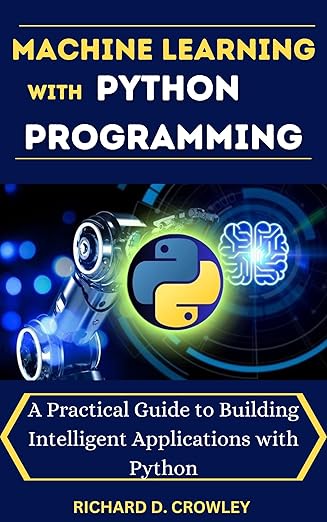
MACHINE LEARNING WITH PYTHON PROGRAMMING: A Practical Guide to Building Intelligent Applications with Python


 Machine Learning with Python Programming: A Practical Guide to Building Intelligent Applications

Machine Learning (ML) has transformed industries by enabling computers to learn from data and make intelligent decisions. Python has become the go-to programming language for ML due to its simplicity, vast libraries, and strong community support. "Machine Learning with Python Programming: A Practical Guide to Building Intelligent Applications" by Richard D. Crowley is an excellent resource for those looking to develop real-world ML applications using Python.

This book provides a structured and accessible pathway into the world of machine learning.1 Beginning with fundamental concepts and progressing through advanced topics, it covers essential Python libraries, mathematical foundations, and practical applications. The book delves into supervised and unsupervised learning, natural language processing, computer vision, time series analysis, and recommender systems.2 It also addresses critical aspects of model deployment, ethical considerations, and future trends, including reinforcement learning, GANs, and AutoML. With practical examples, troubleshooting tips, and a glossary, this resource empowers readers to build and deploy effective machine learning models while understanding the broader implications of AI.

Why This Book?

This book is designed for beginners and intermediate learners who want to apply ML concepts practically. It provides a hands-on approach to implementing ML algorithms, working with real-world datasets, and deploying intelligent applications.


Some key benefits of reading this book include: 

Step-by-step explanations – Makes it easy to understand complex ML concepts.

Practical coding examples – Helps readers implement ML models in Python.

Covers popular Python libraries – Includes TensorFlow, Scikit-Learn, Pandas, and more.

Real-world use cases – Teaches how to apply ML to solve industry problems.


Key Topics Covered

The book is structured to guide the reader from basic ML concepts to building intelligent applications.

1. Introduction to Machine Learning

Understanding the basics of ML, types of ML (supervised, unsupervised, reinforcement learning), and real-world applications.

Overview of Python as a programming language for ML.

2. Python for Machine Learning

Introduction to essential Python libraries: NumPy, Pandas, Matplotlib, and Scikit-Learn.

Data manipulation and preprocessing techniques.

3. Supervised Learning Algorithms

Implementing regression algorithms (Linear Regression, Polynomial Regression).

Classification algorithms (Logistic Regression, Decision Trees, Support Vector Machines).

4. Unsupervised Learning Techniques

Understanding clustering algorithms (K-Means, Hierarchical Clustering).

Dimensionality reduction with PCA (Principal Component Analysis).

5. Deep Learning with TensorFlow and Keras

Introduction to Neural Networks and Deep Learning.

Building models with TensorFlow and Keras.

Training and optimizing deep learning models.

6. Natural Language Processing (NLP)

Text preprocessing techniques (Tokenization, Lemmatization, Stopword Removal).

Sentiment analysis and text classification using NLP libraries.

7. Real-World Applications of Machine Learning

Building recommender systems for e-commerce.

Fraud detection in financial transactions.

Image recognition and object detection.

8. Deploying Machine Learning Models

Saving and loading ML models.

Using Flask and FastAPI for deploying ML applications.

Integrating ML models into web applications.

Who Should Read This Book?

This book is ideal for: 

 Beginners in Machine Learning – If you're new to ML, this book provides a structured learning path.

Python Developers – If you're comfortable with Python but new to ML, this book will help you get started.

Data Science Enthusiasts – If you want to build practical ML applications, this book is a valuable resource.

Students & Professionals – Whether you're a student or a working professional, this book will enhance your ML skills.

Hard Copy : MACHINE LEARNING WITH PYTHON PROGRAMMING: A Practical Guide to Building Intelligent Applications with Python


Kindle : MACHINE LEARNING WITH PYTHON PROGRAMMING: A Practical Guide to Building Intelligent Applications with Python

Final Thoughts

"Machine Learning with Python Programming: A Practical Guide to Building Intelligent Applications" by Richard D. Crowley is a must-read for anyone looking to dive into ML with Python. It bridges the gap between theory and practice, equipping readers with the necessary skills to build real-world ML solutions.


Python Coding Challange - Question With Answer(01030325)


Step 1: print(0)

This prints 0 to the console.

Step 2: for i in range(1,1):

  • The range(start, stop) function generates numbers starting from start (1) and stopping before stop (1).
  • The range(1,1) means it starts at 1 but must stop before 1.
  • Since the starting value is already at the stopping value, no numbers are generated.

Step 3: print(i) inside the loop

  • Since the loop has no numbers to iterate over, the loop body is never executed.
  • The print(i) statement inside the loop is never reached.

Final Output:

0

Only 0 is printed, and the loop does nothing.

Peacock tail pattern using python


import numpy as np

import matplotlib.pyplot as plt

n=5000

theta=np.linspace(0,12*np.pi,n)

r=np.linspace(0,1,n)+0.2*np.sin(6*theta)

x=r*np.cos(theta)

y=r*np.sin(theta)

colors=np.linspace(0,1,n)

plt.figure(figsize=(8,8))

plt.scatter(x,y,c=colors,cmap='viridis',s=2,alpha=0.8)

plt.axis('off')

plt.title('Peacock tail pattern',fontsize=14,fontweight='bold',color='darkblue')

plt.show()

#source code --> clcoding.com 


Code Explanation:

1. Importing Required Libraries

import numpy as np

import matplotlib.pyplot as plt

numpy is used for numerical operations such as generating arrays and applying mathematical functions.

matplotlib.pyplot is used for visualization, specifically for plotting the peacock tail pattern.


2. Defining the Number of Points

n = 5000  

Sets the number of points to 5000, meaning the pattern will be composed of 5000 points.

A higher n creates a smoother and more detailed pattern.


3. Generating Angular and Radial Coordinates

theta = np.linspace(0, 12 * np.pi, n)

Creates an array of n values from 0 to 12ฯ€ (i.e., multiple full circular rotations).

The linspace() function ensures a smooth transition of angles, creating a spiral effect.


r = np.linspace(0, 1, n) + 0.2 * np.sin(6 * theta)  

np.linspace(0, 1, n): Generates a gradual outward movement from the center.

0.2 * np.sin(6 * theta): Adds a wave-like variation to the radial distance, creating feather-like oscillations.


4. Converting Polar Coordinates to Cartesian Coordinates

x = r * np.cos(theta)

y = r * np.sin(theta)

Converts the polar coordinates (r, ฮธ) into Cartesian coordinates (x, y), which are required for plotting in Matplotlib.

The transformation uses:

x = r * cos(ฮธ) → Determines the horizontal position.

y = r * sin(ฮธ) → Determines the vertical position.


5. Assigning Colors to Points

colors = np.linspace(0, 1, n)

Generates a gradient of values from 0 to 1, which will later be mapped to a colormap (viridis).

This helps create a smooth color transition in the final pattern.


6. Creating the Plot

plt.figure(figsize=(8, 8))

Creates a figure with a square aspect ratio (8x8 inches) to ensure the spiral appears circular and not stretched.


plt.scatter(x, y, c=colors, cmap='viridis', s=2, alpha=0.8)  

Uses scatter() to plot the generated (x, y) points.

c=colors: Colors the points using the gradient values generated earlier.

cmap='viridis': Uses the Viridis colormap, which transitions smoothly from dark blue to bright yellow.

s=2: Sets the size of each point to 2 pixels for fine details.

alpha=0.8: Makes points slightly transparent to enhance the blending effect.


7. Formatting the Plot

plt.axis('off')

Removes axes for a clean and aesthetic visualization.

plt.title("Peacock Tail Pattern", fontsize=14, fontweight='bold', color='darkblue')

Adds a title to the plot with:

fontsize=14: Medium-sized text.

fontweight='bold': Bold text.

color='darkblue': Dark blue text color.


8. Displaying the Plot

plt.show()

Displays the generated Peacock Tail Pattern.


Fish Scale pattern plot using python


 import numpy as np

import matplotlib.pyplot as plt

rows,cols=10,10

radius=1

fig,ax=plt.subplots(figsize=(8,8))

ax.set_xlim(0,cols*radius)

ax.set_ylim(0,(rows+0.5)*(radius/2))

ax.set_aspect('equal')

ax.axis('off')

color=['#6FA3EF','#3D7A9E','#F4C542','#E96A64','#9C5E75']

for row in range(rows):

    for col in range(cols):

        x=col*radius

        y=row*(radius/2)

        if row%2==1:

            x+=radius/2

        semicircle=plt.cCircle((x,y),radius,color=np.random.choice(colors),clip_on=False)

        ax.add_patch(semicircle)

plt.title('Fish scale pattern plot',fontsize=16,fontweight='bold',color='navy',pad=15)

plt.show()

#source code --> clcoding.com       


Code Explanation:

Import required libraries

import numpy as np

import matplotlib.pyplot as plt

Imports numpy (as np) and matplotlib.pyplot (as plt)

numpy is used for mathematical operations and randomness

matplotlib.pyplot is used for creating plots


Setting Grid Size & Circle Radius:

rows, cols = 10, 10  

radius = 1  

Defines the number of rows and columns (10×10 grid)

Defines the radius of each semicircle as 1


Creating the Figure & Axes:

fig, ax = plt.subplots(figsize=(8,8))

Creates a figure (fig) and an axis (ax) with an 8×8-inch canvas

plt.subplots() is used for making a figure with subplots


Setting Axis Limits:

ax.set_xlim(0, cols * radius)

ax.set_ylim(0, (rows + 0.5) * (radius / 2))  

ax.set_xlim(0, cols * radius) → X-axis ranges from 0 to cols * radius

ax.set_ylim(0, (rows + 0.5) * (radius / 2)) → Y-axis height is adjusted for proper alignment of semicircles

(rows + 0.5) * (radius / 2) ensures the last row is properly visible


Making the Plot Circular and Removing Axes:

ax.set_aspect('equal') 

ax.axis('off')

ax.set_aspect('equal') → Maintains equal scaling for X and Y axes, ensuring circles remain perfectly round

ax.axis('off') → Removes the axes, labels, and ticks for a clean look


Defining Colors:

colors = ['#6FA3EF', '#3D7A9E', '#F4C542', '#E96A64', '#9C5E7F']

Creates a list of five colors (in hex format)

These colors will be randomly assigned to the semicircles


Looping to Create Fish Scales:

for row in range(rows):

    for col in range(cols):

Outer loop (row) iterates through each row

Inner loop (col) iterates through each column


Calculating X & Y Positions:

x = col * radius  

y = row * (radius / 2)  

x = col * radius → Sets the X position for each semicircle

y = row * (radius / 2) → Sets the Y position for stacking semicircles half overlapping


Offsetting Alternate Rows:

if row % 2 == 1:

    x += radius / 2  

If row is odd, shift X position by radius / 2

This staggered alignment mimics the overlapping scale effect


Drawing the Semicircles:

semicircle = plt.Circle((x, y), radius, color=np.random.choice(colors), clip_on=False)

ax.add_patch(semicircle)

plt.Circle((x, y), radius, color=np.random.choice(colors), clip_on=False)

Creates a circle at (x, y) with radius = 1

Fills it with a random color from the color list (np.random.choice(colors))

clip_on=False ensures the circles aren't clipped at the edges

ax.add_patch(semicircle) → Adds the semicircle to the plot


Adding a Title:

plt.title("Fish Scale Pattern", fontsize=16, fontweight='bold', color='navy', pad=15)

Adds a title: "Fish Scale Pattern"


Font settings:

fontsize=16 → Large text

fontweight='bold' → Bold font

color='navy' → Dark blue text

pad=15 → Adds extra spacing above the title

Displaying the Pattern:

plt.show()

Displays the final fish scale pattern plot


Popular Posts

Categories

100 Python Programs for Beginner (118) AI (161) Android (25) AngularJS (1) Api (6) Assembly Language (2) aws (27) Azure (8) BI (10) Books (254) Bootcamp (1) C (78) C# (12) C++ (83) Course (84) Coursera (299) Cybersecurity (28) Data Analysis (24) Data Analytics (16) data management (15) Data Science (226) Data Strucures (14) Deep Learning (76) Django (16) Downloads (3) edx (21) Engineering (15) Euron (30) Events (7) Excel (17) Finance (9) flask (3) flutter (1) FPL (17) Generative AI (49) Git (6) Google (47) Hadoop (3) HTML Quiz (1) HTML&CSS (48) IBM (41) IoT (3) IS (25) Java (99) Leet Code (4) Machine Learning (198) Meta (24) MICHIGAN (5) microsoft (9) Nvidia (8) Pandas (12) PHP (20) Projects (32) Python (1222) Python Coding Challenge (904) Python Quiz (350) Python Tips (5) Questions (2) R (72) React (7) Scripting (3) security (4) Selenium Webdriver (4) Software (19) SQL (45) Udemy (17) UX Research (1) web application (11) Web development (7) web scraping (3)

Followers

Python Coding for Kids ( Free Demo for Everyone)