Sunday, 24 November 2024
Thursday, 21 November 2024
Count Files and Folders using Python
Python Coding November 21, 2024 Python No comments
import os # Specify the path to count files and directories PATH = r'C:\Users\CLCODING\Downloads' files = 0 dirs = 0 for root, dirnames, filenames in os.walk(PATH): dirs += len(dirnames) files += len(filenames) print('Files:', files) print('Directories:', dirs) print('Total:', files + dirs)
Program Explanation
This Python program is used to count the total number of files and folders inside a given directory (including all subfolders). import os We import the os module because it helps us interact with files and folders in the operating system. PATH = r'C:\Users\CLCODING\Downloads' This sets the location (folder path) where we want to count files and folders. The letter r before the string makes it a raw string, which prevents Python from misreading backslashes. files = 0 dirs = 0 We start with two counters: files = 0 → to count number of files dirs = 0 → to count number of folders (directories) for root, dirnames, filenames in os.walk(PATH): os.walk() goes through the folder and all of its subfolders. For each location it visits: root → the current folder path dirnames → list of all subfolders in that location filenames → list of all files in that location dirs += len(dirnames) files += len(filenames) len(dirnames) gives how many folders are in the current location. len(filenames) gives how many files are in the current location. We add them to our counters. print('Files:', files) print('Directories:', dirs) print('Total:', files + dirs) Finally, we display: total number of files total number of directories total items (files + directories) Output Example (depends on your folder): Files: 250 Directories: 40 Total: 290
Wednesday, 20 November 2024
Screen recorder using Python
Python Coding November 20, 2024 Python No comments
import cv2
import numpy as np
import pyautogui
import keyboard
screen_size = pyautogui.size()
fps = 20
fourcc = cv2.VideoWriter_fourcc(*"XVID")
output_file = "screen_recording_clcoding.mp4"
out = cv2.VideoWriter(output_file, fourcc, fps,
(screen_size.width, screen_size.height))
print("Recording... Press 'q' to stop.")
while True:
screen = pyautogui.screenshot()
frame = np.array(screen)
frame = cv2.cvtColor(frame, cv2.COLOR_RGB2BGR)
out.write(frame)
if keyboard.is_pressed('q'):
print("Recording stopped.")
break
out.release()
print(f"Video saved to {output_file}")
#source code --> clcoding.com
AI Learning Hub - Lifetime Learning Access
Python Coding November 20, 2024 AI, Python No comments
What will you get?
✔ 10+ hours of AI content from the fundamentals to advanced.
✔ Hands-on machine learning and deep learning projects with step-by-step coding instructions.
✔ Real-world end-to-end projects to help you build a professional AI portfolio.
✔ A private collaborative community of AI learners and professionals.
✔ Receive feedback on your projects from peers and community members.
✔ Direct access to your instructor.
✔ Lifetime access to every past and future courses and content.
Jon here : AI Learning Hub - Lifetime Learning Access
30-Day Free Trial – No Risk, No Problem!
Join today and enjoy a full 30-day free trial with complete access to all content. No strings attached – experience the program and decide if it's right for you. If you're not satisfied, you can cancel at any time during the trial with zero cost. We’re confident you’ll love it, but you’ve got nothing to lose with our risk-free guarantee!
Program Syllabus
The AI Learning Hub is your ongoing path to mastering AI. This syllabus outlines the key topics you’ll cover throughout the program. Each section is designed to build on the last, ensuring you develop both foundational and advanced skills through practical, hands-on learning. As part of this continuous cohort, new content will be added regularly, so you’ll always be learning the latest in AI.
This schedule is flexible and may change depending on the learning pace of everyone. But don’t worry—once the materials are published, you can go back and learn at your own speed whenever you want.
Phase 1: Python Programming (Starting October)
Data Types & Variables: Understand basic data types and variables.
Loops & Iterators: Learn how to iterate over data efficiently.
Functions & Lambdas: Write reusable code and anonymous functions.
Lists, Tuples, Sets, Dictionaries: Work with core Python data structures.
Conditionals: Make decisions using if, elif, and else.
Exception Handling: Handle errors gracefully.
Classes & OOP: Grasp object-oriented programming, inheritance, polymorphism, and encapsulation.
Phase 2: Data Analysis with Pandas
Series & DataFrames: Understand the building blocks of Pandas.
Editing & Retrieving Data: Learn data selection and modification techniques.
Importing Data: Import data from CSV, Excel, and databases.
Grouping Data: Use
groupbyfor aggregate operations.Merging & Joining Data: Combine datasets efficiently.
Sorting & Filtering: Organize and retrieve data.
Applying Functions to Data: Use functions to manipulate and clean data.
Phase 3: Data Visualization with Matplotlib
Basic Plotting: Create line plots, scatter plots, and histograms.
Bar Charts & Pie Charts: Display categorical data.
Time Series Plots: Visualize data over time.
Live Data Plotting: Create dynamic visualizations.
Phase 4: Numerical Computing with NumPy
Creating Arrays: Learn about arrays and their manipulation.
Array Indexing & Slicing: Access and modify elements in arrays.
Universal Functions: Perform fast element-wise operations on arrays.
Linear Algebra & Statistics Functions: Apply matrix operations and statistical computations.
Phase 5: Machine Learning Fundamentals (with Projects)
ML Life Cycle: Understand the workflow of building machine learning systems.
Key Algorithms: Explore algorithms like Linear Regression, Decision Trees, Random Forests, and K-Nearest Neighbors.
Evaluation Metrics: Learn about precision, recall, F1-scores, and the importance of model evaluation.
Overfitting & Underfitting: Learn how to handle data-related challenges.
Projects: Apply your knowledge through hands-on projects, solving real-world problems.
Phase 6: Deep Learning Fundamentals (with Projects)
Neural Networks: Learn how artificial neural networks work.
Activation Functions: Explore functions like Sigmoid, ReLU, and Tanh.
Convolutional Neural Networks (CNNs): Understand image-based models and apply them to real-world data.
Recurrent Neural Networks (RNNs) & LSTMs: Work with sequential data for time series or text.
Hyperparameter Tuning & Optimization: Fine-tune models for better performance.
Projects: Implement real-world deep learning models and deploy them into production environments.
Phase 7: Model Deployment & MLOps
Model Deployment Strategies: Learn how to deploy models using Flask, FastAPI, and cloud platforms.
Docker & Kubernetes: Containerize your applications and deploy them at scale.
Kubeflow: Set up workflows for automating ML pipelines.
MLflow: Track experiments and manage the machine learning lifecycle.
Airflow: Manage data workflows and model pipelines.
Cloud-Based Deployment: Deploy your models on platforms like AWS, GCP, and Azure.
Monitoring & Logging: Use tools like Prometheus and Grafana to monitor model performance and ensure they remain accurate over time.
CI/CD: Automate the deployment of machine learning models using CI/CD pipelines.
Phase 8: End-to-End Machine Learning Projects
Complete ML Pipelines: Learn how to build a fully functional machine learning pipeline from data collection to deployment.
Data Preprocessing: Clean, process, and prepare data for machine learning models.
Model Building & Training: Implement and train machine learning models tailored to real-world scenarios.
Model Deployment: Deploy machine learning models into production environments, integrating with APIs and cloud services.
Monitoring & Maintenance: Understand how to monitor model performance over time and retrain models as needed.
Advanced and Custom Topics
Advanced NLP & Transformers: Dive deep into cutting-edge natural language processing techniques and transformer architectures.
Generative AI Models: Explore AI models that generate text, images, and audio, including GANs and diffusion models.
Custom AI Solutions: Learn how to customize AI models for specialized tasks and industries.
Suggest a Topic: You can suggest any advanced topics or areas of interest, and we will explore them together as part of the curriculum.
Tuesday, 19 November 2024
Complete Python Basic to Advance (Free Courses)
Python Coding November 19, 2024 Python No comments
The Complete Python Basic to Advanced course offers a thorough journey from basic syntax to advanced concepts, including object-oriented programming, data manipulation, and real-world applications, providing a solid foundation and practical skills in Python.
What you will learn
Grasp Python basics: Variables, loops, data
Master OOP: Classes, inheritance, polymorphism
Implement error handling for robust programs
Optimize code for efficiency and performance
Develop problem-solving with algorithms
Write clean, structured, and organized code
Manage files and perform data manipulation
Use advanced features: Decorators, generators
Build real-world apps with Python skills
Prepare for data science and machine learning
This course includes:
Python basics: Syntax, data types, and variables
Control structures: Loops and conditionals
Functions and modules for code organization
OOP concepts: Classes, objects, inheritance
Advanced topics: Decorators, generators, and more
Working with databases, APIs, and file handling
Requirements
Basic Computer Skills: Ability to install software, browse the internet, and navigate file systems
No Prior Coding Experience Required: Designed for beginners with no programming background needed
Eagerness to Learn: A passion for learning and exploring programming concepts is highly encouraged
Logical Thinking: Basic understanding of logic and problem-solving will be advantageous for success
Time Commitment: Set aside regular time to engage fully and complete lessons, projects, and quizzes
Join Free: Complete Python Basic to Advance (Free Courses)
Master OOP in Python (Free Courses)
Python Coding November 19, 2024 Python No comments
Master OOP in Python covers object-oriented programming principles, including classes, inheritance, polymorphism and encapsulation with hands-on examples to help you build robust, reusable and efficient Python applications.
What you will learn
Understand classes and objects in Python
Implement inheritance for code reusability
Use polymorphism for flexible code design
Master encapsulation to protect data
Work with constructors and destructors
Apply abstraction for simplified interfaces
Handle errors in OOP effectively
Build scalable apps using OOP principles
This course includes:
In-depth tutorials on OOP concepts
Real-world projects to apply OOP skills
Interactive quizzes for progress tracking
Hands-on coding exercises for practice
Expert tips from OOP professionals
Community forums for peer support
Requirements
Basic Python Knowledge: Familiarity with Python fundamentals, including syntax, data types, and control structures.
Understanding of Functions: Knowledge of defining and using functions in Python.
Basic Programming Concepts: Familiarity with core programming concepts like variables, loops, and conditionals.
Problem-Solving Skills: Ability to break down problems and develop logical solutions.
Eagerness to Learn OOP: A strong interest in learning and applying object-oriented programming principles.
Access to a Development Environment: A computer with Python installed and a suitable IDE or text editor for coding.
Join Free : Master OOP in Python
Saturday, 16 November 2024
Python Coding challenge - Day 246 | What is the output of the following Python Code?
Python Coding November 16, 2024 Python Coding Challenge No comments
x = "hello" * 2
print(x)
String Multiplication:
"hello" is a string.
2 is an integer.
When you multiply a string by an integer, the string is repeated that many times.
In this case, "hello" * 2 produces "hellohello", which is the string "hello" repeated twice.
Assignment:
The result "hellohello" is assigned to the variable x.
Print Statement:
The print(x) statement outputs the value of x, which is "hellohello".
Thursday, 14 November 2024
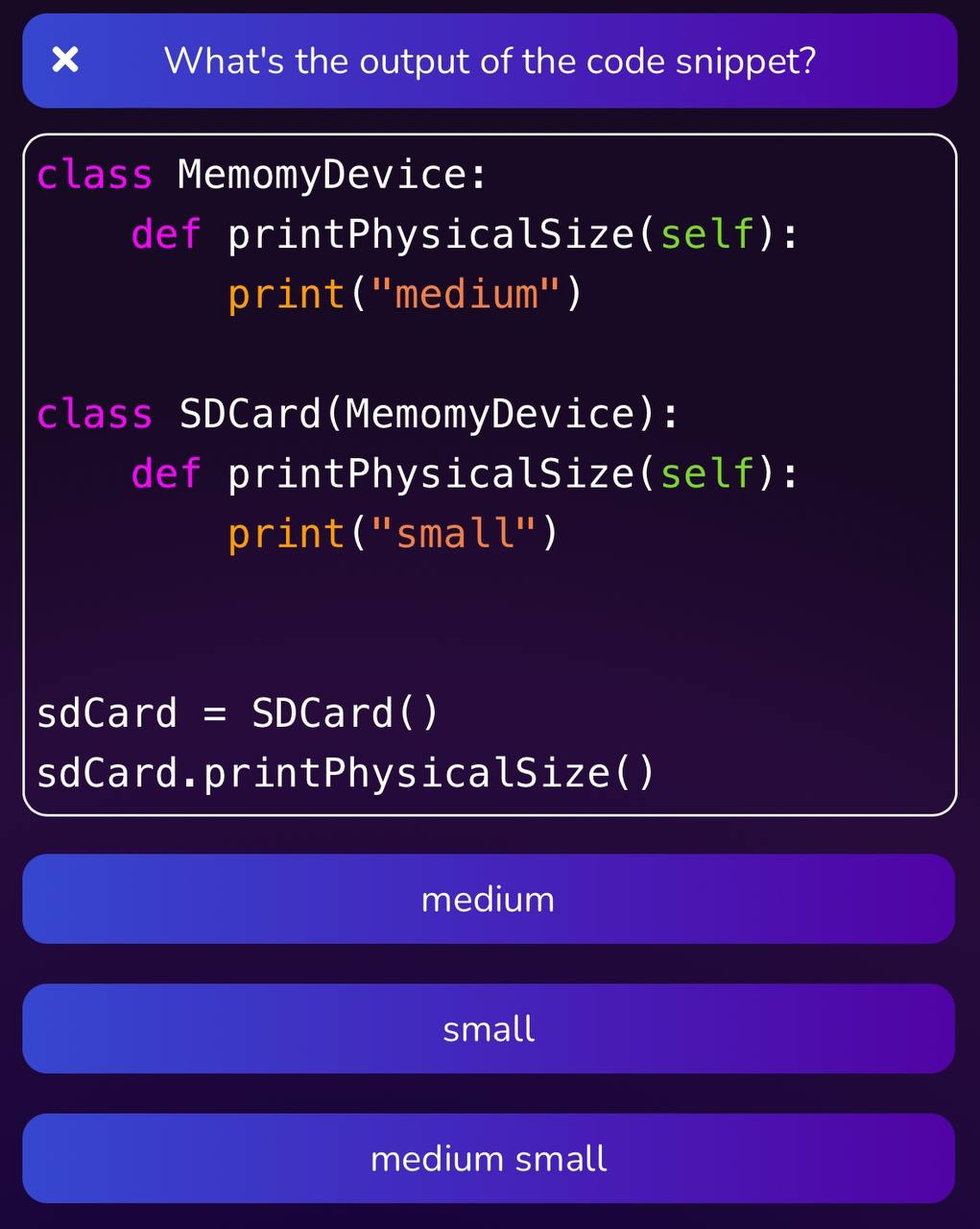
Python OOPS Challenge | Day 13 | What is the output of following Python code?
Python Coding November 14, 2024 No comments
Wednesday, 13 November 2024
Google AI Essentials
Python Coding November 13, 2024 AI, Google No comments
Unlock the Power of AI with Google’s AI Essentials Course on Coursera
Artificial Intelligence (AI) is reshaping industries, driving innovation, and solving complex challenges around the globe. As AI becomes an essential part of the tech landscape, learning its core principles has become crucial for both beginners and professionals. Google’s AI Essentials course on Coursera is designed to introduce you to the fundamentals of AI and equip you with the knowledge and skills needed to get started.
If you’re curious about AI and want to learn how it’s used to transform real-world applications, this course offers a comprehensive, beginner-friendly introduction. Let’s dive into what makes this course special and why it’s the perfect starting point for your AI journey.
Why Learn AI?
AI has rapidly expanded beyond research labs into everyday life. It powers everything from personal voice assistants and recommendation engines to complex medical diagnostics and financial forecasting. AI literacy is becoming a vital skill across industries, making it increasingly valuable for professionals in any field. Learning AI basics gives you an edge in understanding and working with the tools that are shaping the future.
About Google’s AI Essentials Course
Google, a global leader in AI, has crafted the AI Essentials course on Coursera to help beginners gain foundational knowledge in this field. Created with clarity and simplicity in mind, the course provides learners with an accessible introduction to AI concepts, helping you understand what AI is, its potential, and how it’s applied in the world today.
Key Highlights of the Course:
- Beginner-Friendly: No prior experience with AI or programming is required, making it ideal for anyone curious about AI.
- Real-World Applications: You’ll learn how AI solves everyday problems, making it easier to connect theoretical concepts to practical uses.
- Flexible Schedule: Being online and self-paced, this course allows you to learn on your own time and at your own pace.
What You’ll Learn
The Google AI Essentials course covers several foundational topics essential to understanding AI and how it’s changing industries. Here’s a quick look at what you’ll learn:
- Understanding AI: Learn what AI is and isn’t, exploring the different branches, such as machine learning and deep learning.
- AI and Everyday Life: Discover how AI powers common applications like recommendation engines, smart assistants, and image recognition systems.
- Intro to Machine Learning: Get introduced to machine learning, a critical subset of AI, and learn about supervised and unsupervised learning techniques.
- Real-World Applications: Understand how AI is transforming sectors like healthcare, finance, and entertainment, showing the vast impact AI has on society.
Real-World Applications of AI
One of the standout features of this course is its focus on real-world applications, making it relatable for learners from any background. By the end of the course, you’ll gain insights into how AI applications solve problems across various industries:
- Healthcare: AI assists in diagnosing diseases, personalizing treatment plans, and optimizing healthcare operations.
- Finance: Machine learning models help detect fraudulent transactions, assess credit risk, and automate trading strategies.
- Retail: AI enhances customer experiences with personalized recommendations, targeted marketing, and improved inventory management.
- Entertainment: AI algorithms power recommendation systems in streaming platforms, shaping user experience and content discovery.
This approach not only makes learning more engaging but also provides you with a broader understanding of how AI impacts different sectors.
Why Choose Google’s AI Essentials Course on Coursera?
- Industry Leader: Google is at the forefront of AI research and applications. Learning directly from Google’s experts provides you with insights and approaches grounded in cutting-edge practices.
- Hands-On Experience: Although designed for beginners, the course includes practical examples and scenarios to deepen your understanding of AI concepts.
- Career Boost: With AI playing a critical role in the future of work, having a certification from Google on Coursera enhances your resume, showing employers that you understand AI fundamentals.
Getting Started
Whether you're a professional looking to enhance your skillset, a student aiming to learn about AI, or just curious about technology, the Google AI Essentials course is a fantastic place to start. It’s a well-rounded introduction to AI fundamentals and applications, and it prepares you to explore further in the world of AI.
Learn more and enroll here: Coursera Google AI Essentials Course.
Final Thoughts
Artificial Intelligence is more than just a trend; it's a transformative technology that’s changing the world. Google’s AI Essentials course on Coursera offers a clear, beginner-friendly path to understanding AI’s impact, applications, and potential. By completing this course, you’ll gain a foundational knowledge that can serve as a stepping stone to advanced AI studies or applications in your own career.
Whether you’re a beginner or a professional looking to expand your skills, this course will give you the insights you need to understand AI's transformative potential. Embrace the future of technology—start your AI journey today!
Join Free: Google AI Essentials
Tuesday, 12 November 2024
Convert RGB to Hex using Python
Python Coding November 12, 2024 Python No comments
from webcolors import name_to_hex
def color_name_to_code(color_name):
try:
color_code = name_to_hex(color_name)
return color_code
except ValueError:
return None
colorname = input("Enter color name : ")
result_code = color_name_to_code(colorname)
print(result_code)
Monday, 11 November 2024
PDF file protection using password in Python
Python Coding November 11, 2024 Python No comments
Python OOPS Challenge | Day 12| What is the output of following Python code?
Python Coding November 11, 2024 No comments
Saturday, 9 November 2024
Rainbow Circle using Python
Python Coding November 09, 2024 Python No comments
Python OOPS Challenge | Day 11 | What is the output of following Python code?
Python Coding November 09, 2024 No comments
Wednesday, 6 November 2024
Python OOPS Challenge | Day 10 | What is the output of following Python code?
Python Coding November 06, 2024 No comments
Tuesday, 5 November 2024
Python OOPS Challenge | Day 9 | What is the output of following Python code?
Python Coding November 05, 2024 No comments
Monday, 4 November 2024
Python OOPS Challenge | Day 8 |What is the output of following Python code?
Python Coding November 04, 2024 No comments
Sunday, 3 November 2024
Python OOPS Challenge | Day 7 |What is the output of following Python code?
Python Coding November 03, 2024 Python Coding Challenge No comments
Saturday, 2 November 2024
Automating Excel with Python
Python Coding November 02, 2024 Python No comments
Automating Excel with Python
In Automating Excel with Python: Processing Spreadsheets with OpenPyXL you will learn how to use Python to create, edit or read Microsoft Excel documents using OpenPyXL.
Python is a versatile programming language. You can use Python to read, write and edit Microsoft Excel documents. There are several different Python packages you can use, but this book will focus on OpenPyXL.
The OpenPyXL package allows you to work with Excel files on Windows, Mac and Linux, even if Excel isn't installed.
In this book, you will learn about the following:
Opening and Saving Workbooks
Reading Cells and Sheets
Creating a Spreadsheet (adding / deleting rows and sheets, merging cells, folding, freeze panes)
Cell Styling (font, alignment, side, border, images)
Conditional Formatting
Charts
Comments
and more!
Python is a great language that you can use to enhance your daily work, whether you are an experienced developer or a beginner!
Automating Excel with Python
Python OOPS Challenge | Day 6 |What is the output of following Python code?
Python Coding November 02, 2024 No comments
Friday, 1 November 2024
Python OOPS Challenge! Day 4 | What is the output of following Python code?
Python Coding November 01, 2024 Python Coding Challenge No comments
Python OOPS Challenge! Day 5 | What is the output of following Python code?
Python Coding November 01, 2024 Python Coding Challenge No comments
Python Code for Periodic Table
Python Coding November 01, 2024 Python No comments
import periodictable
Atomic_No = int(input("Enter Atomic No :"))
element = periodictable.elements[Atomic_No]
print('Name:', element.name)
print('Symbol:', element.symbol)
print('Atomic mass:', element.mass)
print('Density:', element.density)
#source code --> clcoding.com
Name: zinc
Symbol: Zn
Atomic mass: 65.409
Density: 7.133
Tuesday, 29 October 2024
Calculate Derivatives using Python
Python Coding October 29, 2024 Python No comments
Monday, 28 October 2024
Sunday, 27 October 2024
Finally release your stress while Coding
Python Coding October 27, 2024 Python No comments
About this item
[Good material] It is made of high-quality pearl foam material, it is not easy to age, durable and has a long service life.
[Big Enter Button]The Big Enter key is a button that is almost 6 times bigger than the real key. Dubbed as the "BIG ENTER", this is easy to use.
[Compatibility] All you need to do is to plug in the USB cable into your PC,laptop and it'll recognize as an "ENTER" key, it is compatibility with all operation systems such as windows,mac,linux etc .
[A pillow for your nap]The button itself is made out of soft sponge material so when you get tired, you can even use it as a pillow and take a nap on it.
[Release pressure]And when you're feeling stressed out, you can smash on it as hard as you can without fearing of breaking your keyboard.
USA Buy: Finally release your stress while Coding
India Buy: Finally release your stress while Coding
Europe: Finally release your stress while Coding
Thursday, 24 October 2024
Introduction to Networking (Free Courses)
Python Coding October 24, 2024 Coursera, Nvidia No comments
What you'll learn
You will learn what a network is and why it is needed.
Describe the network components and provide the requirements for a networking solution.
Introduce the OSI model and the TCP/IP protocol suite and their role in networking.
Cover the basics of Ethernet technology and understand how data is forwarded in an Ethernet network.
There are 2 modules in this course
Welcome to the Introduction to Networking Course.
In this course we will cover the basics of networking, introduce commonly used TCP/IP protocols and cover the fundamentals of an Ethernet network.
In addition, you’ll be equipped with the basic knowledge to understand the main data center requirements and how they can be fulfilled.
Upon successful completion of the course's final exam, you will receive a digital completion certificate that confirms your understanding of Ethernet technology basics and data forwarding within an Ethernet network.
Join Free: Introduction to Networking (Free Courses)
Colorful QR Code using Python
Python Coding October 24, 2024 Python No comments
Monday, 21 October 2024
Find director of a movie using Python
Python Coding October 21, 2024 Python No comments
from imdb import IMDb
ia = IMDb()
movie_name = input("Enter the movie name: ")
movies = ia.search_movie(movie_name)
if movies:
movie = movies[0]
ia.update(movie)
directors = movie.get('directors')
if directors:
print("Director(s):")
for director in directors:
print(director['name'])
else:
print("No director information found.")
else:
print("Movie not found.")
Sunday, 20 October 2024
Find your country on a Map using Python
Python Coding October 20, 2024 Python No comments
import plotly.express as px
country = input("Enter the country name: ")
data = {
'Country': [country],
'Values': [100] }
fig = px.choropleth(
data,
locations='Country',
locationmode='country names',
color='Values',
color_continuous_scale='Inferno',
title=f'Country Map Highlighting {country}')
fig.show()
#source code --> clcoding.com
Thursday, 17 October 2024
Deep Learning with PyTorch : Image Segmentation
Python Coding October 17, 2024 Coursera, Deep Learning No comments
Deep Learning with PyTorch: Unveiling Image Segmentation
Mastering Image Segmentation Using PyTorch through Hands-on Learning
Introduction
Image segmentation is a critical task in computer vision that goes beyond classifying images. Instead of recognizing an object as a whole, segmentation involves identifying individual pixels belonging to each object, enabling applications in autonomous vehicles, medical imaging, and beyond. In hands-on project “Deep Learning with PyTorch: Image Segmentation,” learners explore the concepts and implementation of semantic segmentation using the power of PyTorch, a popular deep learning framework.
This blog takes you through the key highlights of the course and the insights you'll gain from participating in the project.
What is Image Segmentation?
At its core, image segmentation is about partitioning an image into multiple segments, where each pixel is assigned to a specific class or object. It generally comes in two primary types:
- Semantic segmentation: Assigns a label to every pixel, but objects of the same class (e.g., all cars) are treated identically.
- Instance segmentation: Differentiates individual objects, even if they belong to the same class.
Some real-world applications include:
- Autonomous vehicles: Identifying roads, pedestrians, and obstacles.
- Medical diagnosis: Locating tumors or abnormalities in MRI or X-ray images.
- Satellite imagery: Distinguishing between forests, cities, and water bodies.
Overview of the Course
This project provides a beginner-friendly introduction to building an image segmentation model using PyTorch. In just two hours, you’ll go through the entire process of preparing data, building the segmentation network, and training it for meaningful results.
What You'll Learn
PyTorch Basics:
- Getting comfortable with PyTorch operations and tensors.
- Understanding how neural networks are defined and trained.
Building a Segmentation Network:
- Using U-Net, a well-known architecture for image segmentation tasks. U-Net is known for its ability to capture both global and local features, making it suitable for medical imaging and other pixel-based predictions.
Training and Evaluation:
- Implementing the loss function to quantify segmentation errors.
- Measuring accuracy using metrics like Intersection-over-Union (IoU).
Data Preparation:
- Loading and preprocessing images and labels.
- Working with image masks where each pixel’s value represents a class.
Visualizing Results:
- Generating segmentation masks to compare predicted vs. actual outputs visually.
Why PyTorch for Image Segmentation?
PyTorch stands out for its flexibility, dynamic computation graphs, and strong support from the research community. For image segmentation, PyTorch offers several advantages:
- Customizability: Build and tweak models without extensive boilerplate code.
- Pre-trained Models: Access to pre-trained segmentation models via TorchVision.
- Rich Ecosystem: PyTorch integrates well with tools like TensorBoard for visualization and Hugging Face for additional resources.
Hands-on Approach to Learning
This project emphasizes practical, hands-on learning through a guided interface. You’ll build and train a model directly in your browser using cloud workspace—no need for separate installations! This project is especially helpful for those looking to:
- Get a quick introduction to PyTorch without diving into lengthy tutorials.
- Understand real-world workflows for image segmentation tasks.
- Explore how to prepare custom datasets for pixel-wise predictions.
Key Takeaways
By the end of this project, you will:
- Understand the concepts behind image segmentation and its applications.
- Know how to build a segmentation model from scratch using PyTorch.
- Be equipped with the knowledge to train and evaluate deep learning models for pixel-based tasks.
Whether you're a data science enthusiast, a student, or a professional exploring computer vision, this project provides a solid introduction to image segmentation and PyTorch fundamentals. With the knowledge gained, you can take on more advanced tasks like object detection, instance segmentation, and multi-class semantic segmentation.
Next Steps
Once you complete the project, consider:
- Exploring advanced architectures such as Mask R-CNN for instance segmentation.
- Working with larger datasets like COCO or Cityscapes.
- Building your own end-to-end computer vision applications using PyTorch.
“Deep Learning with PyTorch: Image Segmentation” serves as a launching pad into the fascinating world of computer vision. If you're ready to dive in, enroll now and start your journey toward mastering segmentation!
Final Thoughts
Image segmentation is not just a technical task—it’s an essential component in making AI systems understand the world at a granular level. This project will enable you to explore the magic of deep learning applied to computer vision, paving the way for both academic research and industry projects. With PyTorch in hand, the only limit is your imagination!
Join Free: Deep Learning with PyTorch : Image Segmentation
Tuesday, 15 October 2024
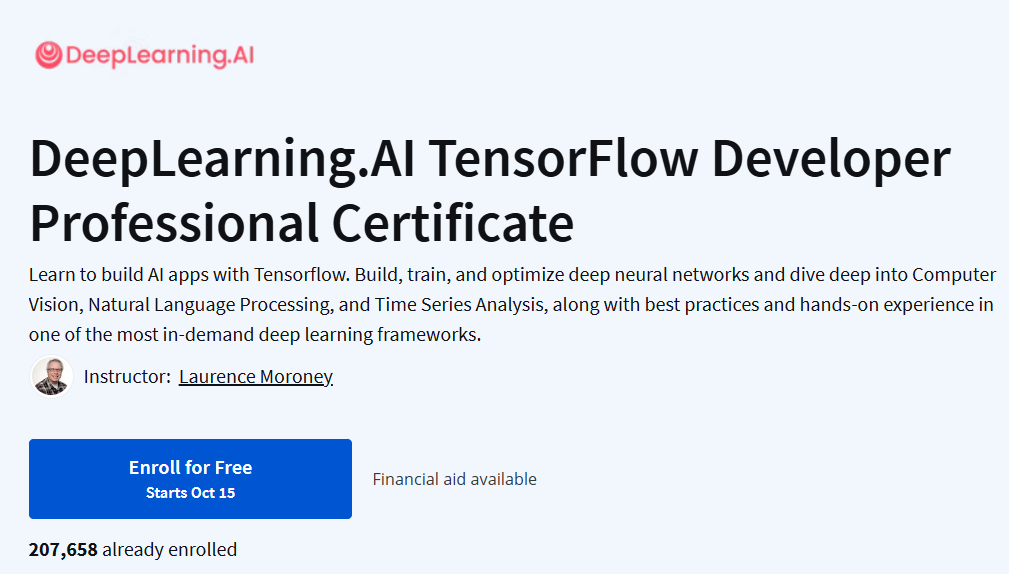
DeepLearning.AI TensorFlow Developer Professional Certificate
Python Coding October 15, 2024 Coursera, Deep Learning No comments
Master AI Development with TensorFlow: A Guide to Coursera's TensorFlow in Practice Professional Certificate ๐ง ๐
Introduction
Machine learning is revolutionizing industries, and TensorFlow has become one of the most widely used frameworks for building intelligent systems. If you’re ready to dive deep into AI and enhance your machine learning skills, the TensorFlow in Practice Professional Certificate on Coursera is a great place to start. Whether you're a data enthusiast or aspiring ML engineer, this certificate equips you with the right skills to build, train, and deploy cutting-edge neural networks.
In this blog, we’ll take a closer look at what this certificate offers, why it matters, and how it can boost your career. ๐
๐ What is the TensorFlow in Practice Certificate?
This four-course series, developed by deeplearning.ai, focuses on mastering TensorFlow—a powerful open-source platform for building machine learning models. You’ll learn how to apply deep learning algorithms, work with large datasets, and design AI models that can handle real-world tasks like image recognition and natural language processing (NLP).
๐ What You’ll Learn
Introduction to TensorFlow for AI, ML, and DL
- Start with the fundamentals of TensorFlow.
- Learn to implement basic neural networks.
- Explore computer vision concepts for image recognition.
Convolutional Neural Networks (CNNs) in TensorFlow
- Understand how CNNs power applications like facial recognition and image classification.
- Build CNNs for practical projects, including data from real-world images.
Natural Language Processing in TensorFlow
- Explore Recurrent Neural Networks (RNNs) and LSTMs to handle sequential data.
- Apply NLP techniques to sentiment analysis, text generation, and more.
Sequences, Time Series, and Prediction
- Work with time-series data for forecasting and predictive models.
- Build LSTM networks and other advanced models to capture temporal patterns.
๐ผ Why Should You Take This Course?
This certification not only teaches TensorFlow, but also covers essential deep learning concepts that are in high demand today. Here are a few benefits:
- Hands-on Projects: Work with real datasets and practical AI scenarios.
- Career Boost: TensorFlow is widely used by Google, Uber, Twitter, and more—making this a valuable skill.
- Job-Ready Skills: Prepare for roles like Machine Learning Engineer or Data Scientist.
๐ Time Commitment
- 4 Courses (About 1 month per course, working part-time)
- Completely Online: Learn at your own pace with flexible deadlines.
With a total commitment of approximately 4 months, this program is ideal for busy professionals and students alike.
๐ Who is it For?
This certificate is for anyone interested in building AI systems using TensorFlow, including:
- Data Scientists and Machine Learning Engineers
- Software Developers expanding into AI
- AI enthusiasts looking to build real-world projects
Basic Python programming skills are recommended before starting. If you’re already familiar with neural networks, you’ll get a chance to deepen your understanding and apply your knowledge more effectively.
๐ฏ How to Enroll
Enrollment is open year-round on Coursera, and financial aid is available. Upon completing the program, you’ll earn a professional certificate from Coursera and deeplearning.ai—a valuable credential to showcase on LinkedIn.
๐ Enroll Now: TensorFlow in Practice Certificat
✨ Final Thoughts
As AI and machine learning become increasingly essential across industries, mastering TensorFlow gives you a competitive edge. The TensorFlow in Practice Professional Certificate offers a perfect blend of theory and practice, empowering you to create AI solutions for real-world challenges.
Whether you’re an aspiring ML engineer or a developer looking to enhance your skills, this certificate will set you on the right track for success.
Join Free: DeepLearning.AI TensorFlow Developer Professional Certificate
Sunday, 13 October 2024
Heatmap Plot in Python
Python Coding October 13, 2024 Data Science, Python No comments
Friday, 11 October 2024
Python Coding challenge - Day 245 | What is the output of the following Python Code?
Python Coding October 11, 2024 Python No comments
Let's break down the code step by step to explain what happens in the modify_list function and why the final result of print(my_list) is [1, 2, 3, 4].
def modify_list(lst, val):
lst.append(val)
lst = [100, 200, 300]
my_list = [1, 2, 3]
modify_list(my_list, 4)
print(my_list)
Step-by-step Explanation:
Function Definition: The function modify_list(lst, val) accepts two arguments:
lst: a list passed by reference (so modifications within the function affect the original list unless reassigned).
val: a value that will be appended to the list lst.
Initial State of my_list: Before calling the function, the list my_list is initialized with the values [1, 2, 3].
Calling the Function:
modify_list(my_list, 4)
We pass the list my_list and the value 4 as arguments to the function.
Inside the function, lst refers to the same list as my_list because lists are mutable and passed by reference.
First Line Inside the Function:
lst.append(val)
lst.append(4) adds the value 4 to the list.
Since lst refers to the same list as my_list, this operation modifies my_list as well.
At this point, my_list becomes [1, 2, 3, 4].
Reassignment of lst:
lst = [100, 200, 300]
This line creates a new list [100, 200, 300] and assigns it to the local variable lst.
However, this reassignment only affects the local variable lst inside the function. It does not modify the original list my_list.
After this line, lst refers to the new list [100, 200, 300], but my_list remains unchanged.
End of the Function: When the function finishes execution, lst (which is now [100, 200, 300]) is discarded because it was only a local variable.
my_list retains its modified state from earlier when the value 4 was appended.
Final Output:
print(my_list)
When we print my_list, it shows [1, 2, 3, 4] because the list was modified by lst.append(val) but not affected by the reassignment of lst.
Key Takeaways:
List Mutation: The append() method modifies the list in place, and since lists are mutable and passed by reference, my_list is modified by lst.append(val).
Local Reassignment: The line lst = [100, 200, 300] only reassigns lst within the function's scope. It does not affect my_list outside the function because the reassignment creates a new list that is local to the function.
Thus, the final output is [1, 2, 3, 4].
Thursday, 10 October 2024
Density plot using Python
Python Coding October 10, 2024 Data Science, Python No comments
import seaborn as sns
import matplotlib.pyplot as plt
import numpy as np
data = np.random.normal(size=1000)
sns.kdeplot(data, fill=True, color="blue")
plt.title("Density Plot")
plt.xlabel("Value")
plt.ylabel("Density")
plt.show()
#source code --> clcoding.com
Wednesday, 9 October 2024
Map chart using Python
Python Coding October 09, 2024 Python No comments
import plotly.express as px
data = {
'Country': ['United States', 'Canada',
'Brazil', 'Russia', 'India'],
'Values': [100, 50, 80, 90, 70]
}
fig = px.choropleth(
data,
locations='Country',
locationmode='country names',
color='Values',
color_continuous_scale='Blues',
title='Choropleth Map of Values by Country')
fig.show()
Gauge charts using Python
Python Coding October 09, 2024 Python No comments
import plotly.graph_objects as go
fig = go.Figure(go.Indicator(
mode="gauge+number",
value=65,
title={'text': "Speed"},
gauge={'axis': {'range': [0, 100]},
'bar': {'color': "darkblue"},
'steps': [{'range': [0, 50], 'color': "lightgray"},
{'range': [50, 100], 'color': "gray"}],
'threshold': {'line': {'color': "red", 'width': 4},
'thickness': 0.75, 'value': 80}}))
fig.show()
#source code --> clcoding.com
Tuesday, 8 October 2024
Waterfall Chart using Python
Python Coding October 08, 2024 Data Science, Python No comments
import plotly.graph_objects as go
fig = go.Figure(go.Waterfall(
name = "20", orientation = "v",
measure = ["relative", "relative", "total", "relative",
"relative", "total"],
x = ["Sales", "Consulting", "Net revenue", "Purchases",
"Other expenses", "Profit before tax"],
textposition = "outside",
text = ["+60", "+80", "", "-40", "-20", "Total"],
y = [60, 80, 0, -40, -20, 0],
connector = {"line":{"color":"rgb(63, 63, 63)"}},
))
fig.update_layout(
title = "Profit and loss statement 2024",
showlegend = True
)
fig.show()
#source code --> clcoding.com
Pareto Chart using Python
Python Coding October 08, 2024 Data Science, Python No comments
import pandas as pd
import matplotlib.pyplot as plt
data = {'Category': ['A', 'B', 'C', 'D', 'E'],
'Frequency': [50, 30, 15, 5, 2]}
df = pd.DataFrame(data)
df = df.sort_values('Frequency', ascending=False)
df['Cumulative %'] = df['Frequency'].cumsum() / df['Frequency'].sum() * 100
fig, ax1 = plt.subplots()
ax1.bar(df['Category'], df['Frequency'], color='C4')
ax1.set_ylabel('Frequency')
ax2 = ax1.twinx()
ax2.plot(df['Category'], df['Cumulative %'], 'C1D')
ax2.set_ylabel('Cumulative %')
plt.title('Pareto Chart')
plt.show()
#source code --> clcoding.com
Python programming workbook for IoT Development with Raspberry pi and MQTT: Hands-on Projects and exercises for building smart devices and IoT ... programming and code mastery books)
Python Coding October 08, 2024 Books, Python No comments
Ready to turn your Raspberry Pi into a smart device powerhouse?
This Python workbook is your ticket to building incredible IoT applications using MQTT, the communication protocol behind the Internet of Things. It's packed with hands-on projects that take you from beginner to builder, one step at a time.
What's inside?
- Learn by doing: Forget boring theory – we dive right into building smart home systems, environmental monitors, and more.
- Master MQTT: Understand this essential protocol, the backbone of IoT communication.
- Python skills made easy: Develop your coding confidence and create powerful IoT devices.
- Problem-solving: Get past common hurdles like complex coding, connectivity issues, data management, and security concerns.
Who's it for?
Whether you're a hobbyist tinkering in your garage, a student eager to learn, or an aspiring IoT developer, this workbook is your guide.
It's time to unleash the power of the Internet of Things.
Hard Copy : Python programming workbook for IoT Development with Raspberry pi and MQTT: Hands-on Projects and exercises for building smart devices and IoT ... programming and code mastery books)
Popular Posts
-
๐ Introduction If you’re passionate about learning Python — one of the most powerful programming languages — you don’t need to spend a f...
-
Why Probability & Statistics Matter for Machine Learning Machine learning models don’t operate in a vacuum — they make predictions, un...
-
Step-by-Step Explanation 1️⃣ Lists Creation a = [1, 2, 3] b = [10, 20, 30] a contains: 1, 2, 3 b contains: 10, 20, 30 2️⃣ zip(a, b) z...
-
Learning Machine Learning and Data Science can feel overwhelming — but with the right resources, it becomes an exciting journey. At CLC...
-
How This Modern Classic Teaches You to Think Like a Computer Scientist Programming is not just about writing code—it's about developi...
-
Code Explanation: 1. Class Definition: class X class X: Defines a new class named X. This class will act as a base/parent class. 2. Method...
-
Introduction Machine learning is ubiquitous now — from apps and web services to enterprise automation, finance, healthcare, and more. But ...
-
✅ Actual Output [10 20 30] Why didn’t the array change? Even though we write: i = i + 5 ๐ This DOES NOT modify the NumPy array . What re...
-
Artificial intelligence and deep learning have transformed industries across the board. From realistic image generation to autonomous vehi...
-
Code Explanation: 1. Class Definition class Item: A class named Item is created. It will represent an object that stores a price. 2. Initi...


.png)


.png)
.png)


.png)


.png)


.png)